46
If you want to access the camera from any Internet
browser (Chrome, Safari, Mozzila, Internet Explorer,
Opera etc) you need to follow 3 simple steps
STEP 1
Enter the link to the site in the address bar of
your browser: https://ipc-eu.ismartlife.me
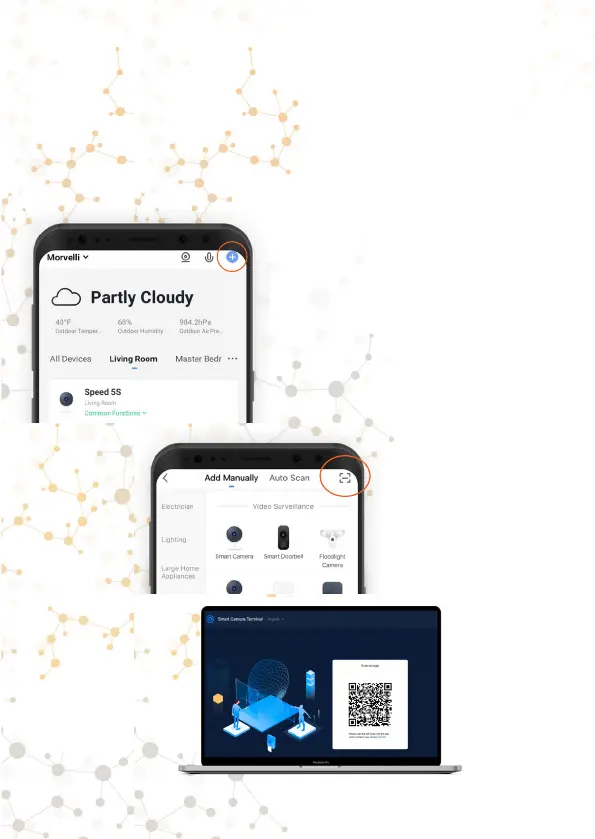
Go to the Smart Life App
on your device and click
in the upper corner plus
(add a new device)
Click on the icon and
scan the QR code with
your phone on your
computer screen.
And confirm access
on your mobile device.



 To Next Page