29
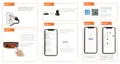
N Name Description
1 Name of your house In this menu, you can
customize your home: name,
and number of rooms, add
new users to your home, set
up geolocation to display
temperature and other
weather parameters.
2 Multiview This menu will appear as
soon as you add two or more
cameras. In this menu, you
can view video from several
cameras at once.
3 Voice assistant You can perform some
actions with the camera using
voice commands.
4 Add new device For example: a second
camera or other smart device
that works in conjunction with
the Smart Life app.
5 Weather data If you set up geolocation for
your camera, this menu will
display the current weather
data: temperature, humidity
and pressure (information
from the Internet).
6 Linked devices Menu to control, congure
and view video from your
camera.
7 Main menu Current menu.



 To Next Page