02/12/16 CM1K90F_IT-EN-DE
ENGLISH
ENGLISH
REV.0-12/16
INTELINANO PLUS
1. OPERATOR INTERFACE
6278 3 1
5
4
9
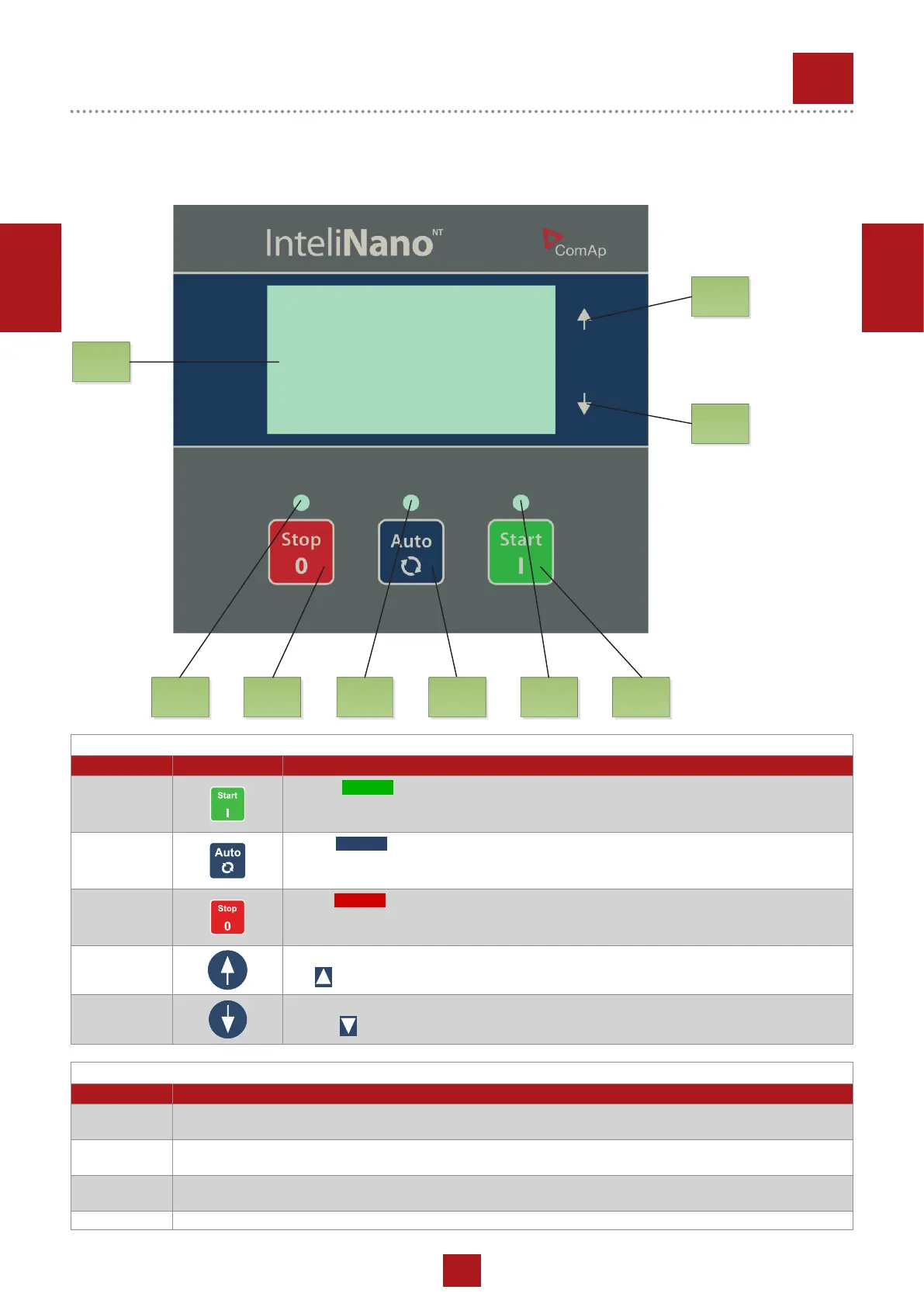
GEN-SET CONTROL BUTTONS
POSITION BUTTON DESCRIPTION
1
START (
START
) BUTTON. Works in Manual mode only. Press this button to initiate the
start sequence of the engine - in Manual operating mode only. This button is also used to
conrm changes in setup mode.
2
AUTO (
AUTO
) BUTTON is dedicated for switching between auto and manual operating
mode.
3
STOP (
STOP
) BUTTON. Press this button to initiate the stop sequence of the gen-set
when engine is running - in Manual operating mode only. This button is also used to cancel
changes in setup mode, to go back or to exit and for alarm conrmation.
4
UP ( ) BUTTON for move up or value increasing.
5
DOWN ( ) BUTTON for move down or value decreasing.
GEN-SET OPERATION INDICATORS
POSITION INDICATOR DESCRIPTION
6
Engine operation. Green LED is blinking, if engine is starting, cooling or stopping. When LED is on the engine
is running and is loaded or ready to load.
7
Operating mode. When the green LED is on, the controller is in Auto operating mode. When is off the con-
troller is in Manual mode.
8
Alarm red LED. The LED will blink when there is one or more active warning or active shutdown alarm. The
LED is on when the active shutdown alarm is conrmed and the engine can’t be started.
9 Graphic B/W display, 128x64 pixels


 To Next Page