Motion Computing LE-Series and LS-Series Tablet PCs User Guide 17
Front Panel Status Indicator Lights
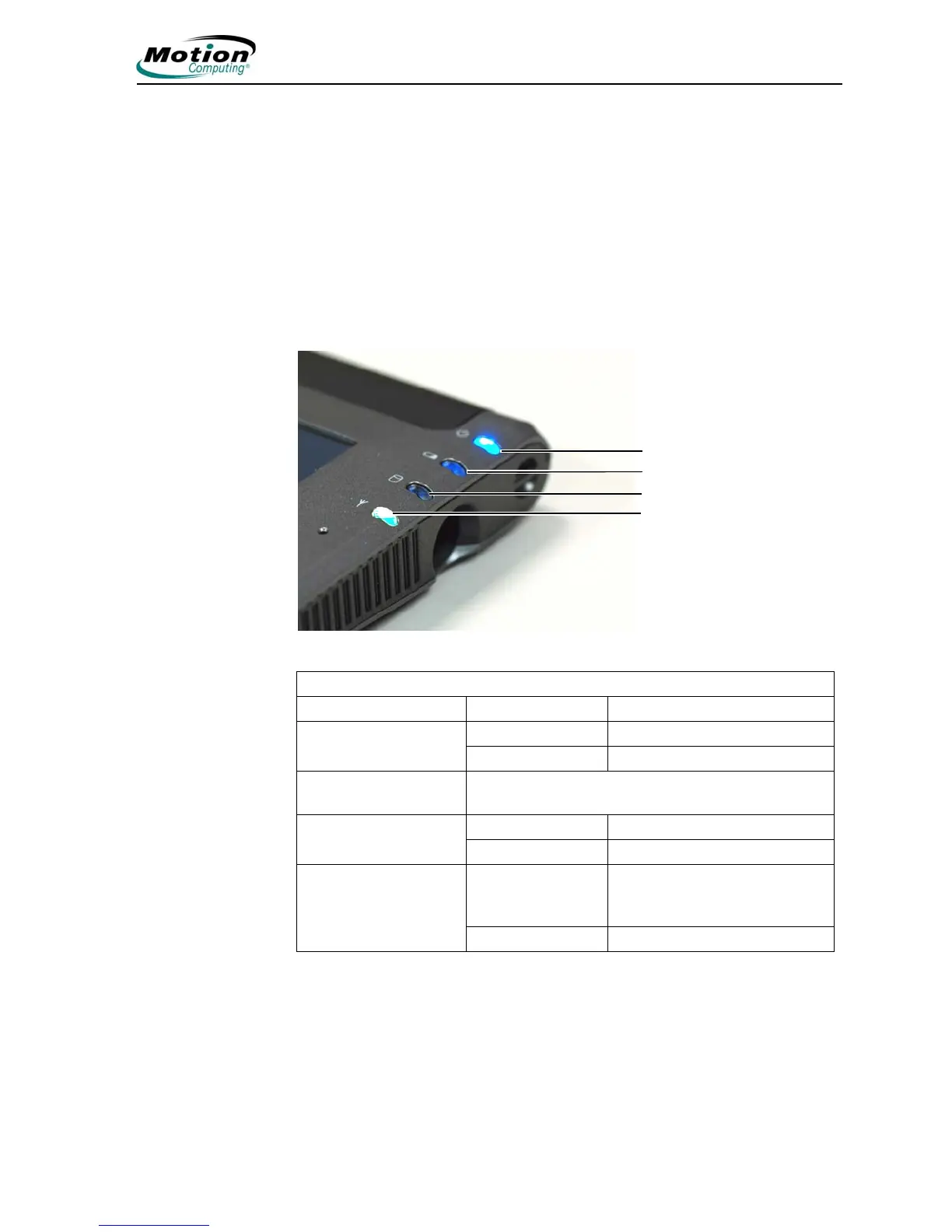
The Tablet PC front panel includes status indicator lights for the following:
• Power On and Off
• Battery
• Hard Disk Drive
•Wireless
The following illustration shows the lights on the Motion LE-Series Tablet PC. The
front panel lights on the Motion LS-Series Tablet PC are in the same relative
position and have the same purpose. Refer to the “Front Panel Status Indicator
Lights” table for additional information.
Front panel status indicator lights
Indicator light Description Status
Power/Stand By Steady blue Tablet PC is on
Blinking blue Tablet PC is in Stand By
Battery Status Refer to Front Panel Battery Status Indicator Light
below
Hard Disk Drive Flashing/On Some HDD activity
Off No HDD activity
Wireless Activity Independently
flashing white and
blue
Wireless is on:
White=802.11
Blue=Bluetooth
Off Wireless is off
Battery
Hard Disk Drive
Wireless (white is
802.11, blue is
Bluetooth)
Power



 To Next Page