Motion Computing LE-Series and LS-Series Tablet PCs User Guide 39
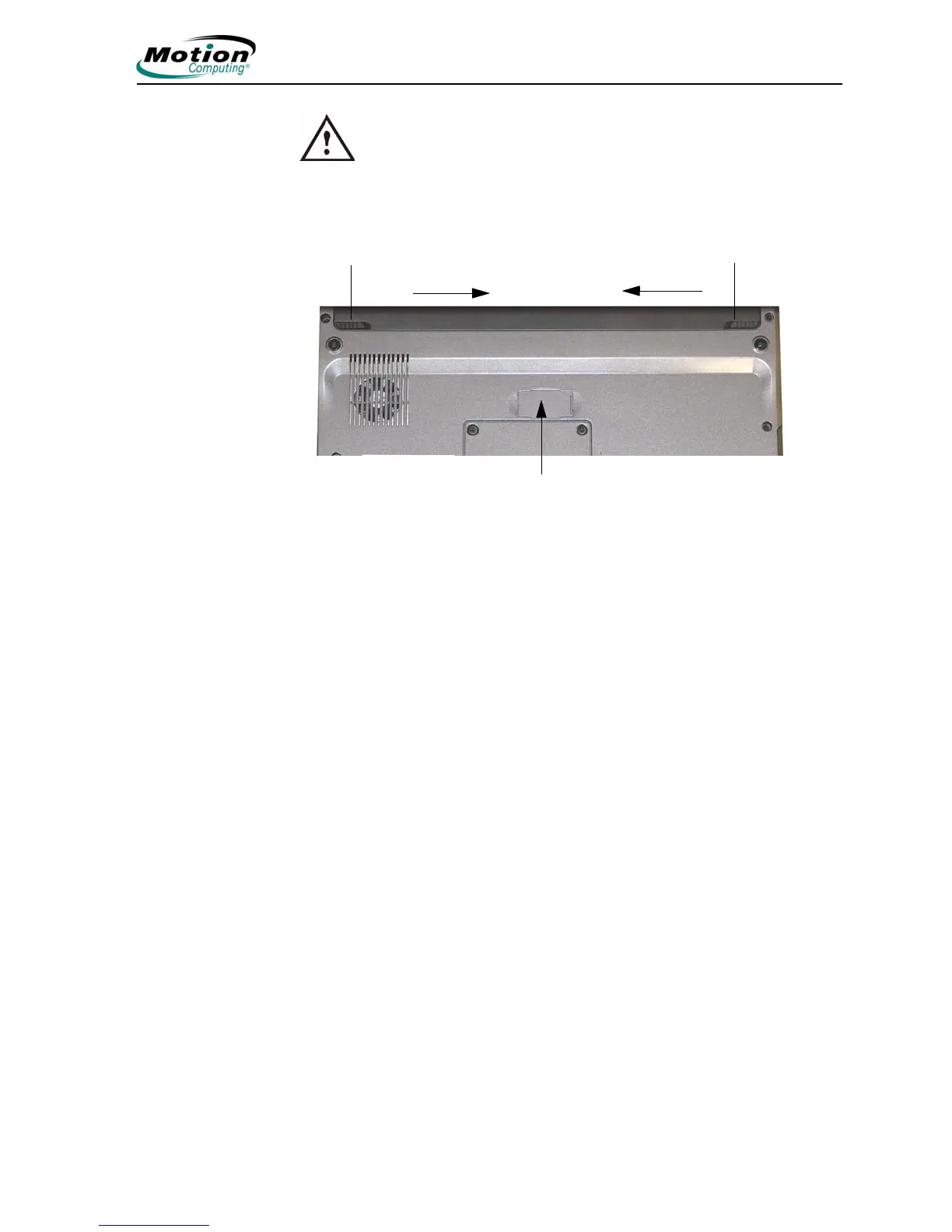
WARNING: When replacing the standard battery, make sure that
the locking latch is in the correct position, moved fully to the right
to lock the battery in place, and that the battery is firmly installed.
• Reading battery power from Motion Dashboard
The Motion Dashboard also has a power gauge (on the Power panel) that
displays the percent of remaining battery charge. If a Standard Battery and a
Extended Battery are both attached, the power reading is the cumulative
amount of both batteries.
Spring-Loaded Latch Locking Latch
Extended Battery Connector
Under Sliding Panel (must be
open to install Extended
Battery)
Slide latches toward center to unlock
LE-Series Tablet PC with the Extended Battery Connector



 To Next Page