Motion Computing LE-Series and LS-Series Tablet PCs User Guide 63
Enabling/setting up a wireless connection through the Motion Dashboard.
1. Open the Motion Dashboard, Wireless panel and make sure that Enable
Internal 802.11 Wireless Radio is checked.
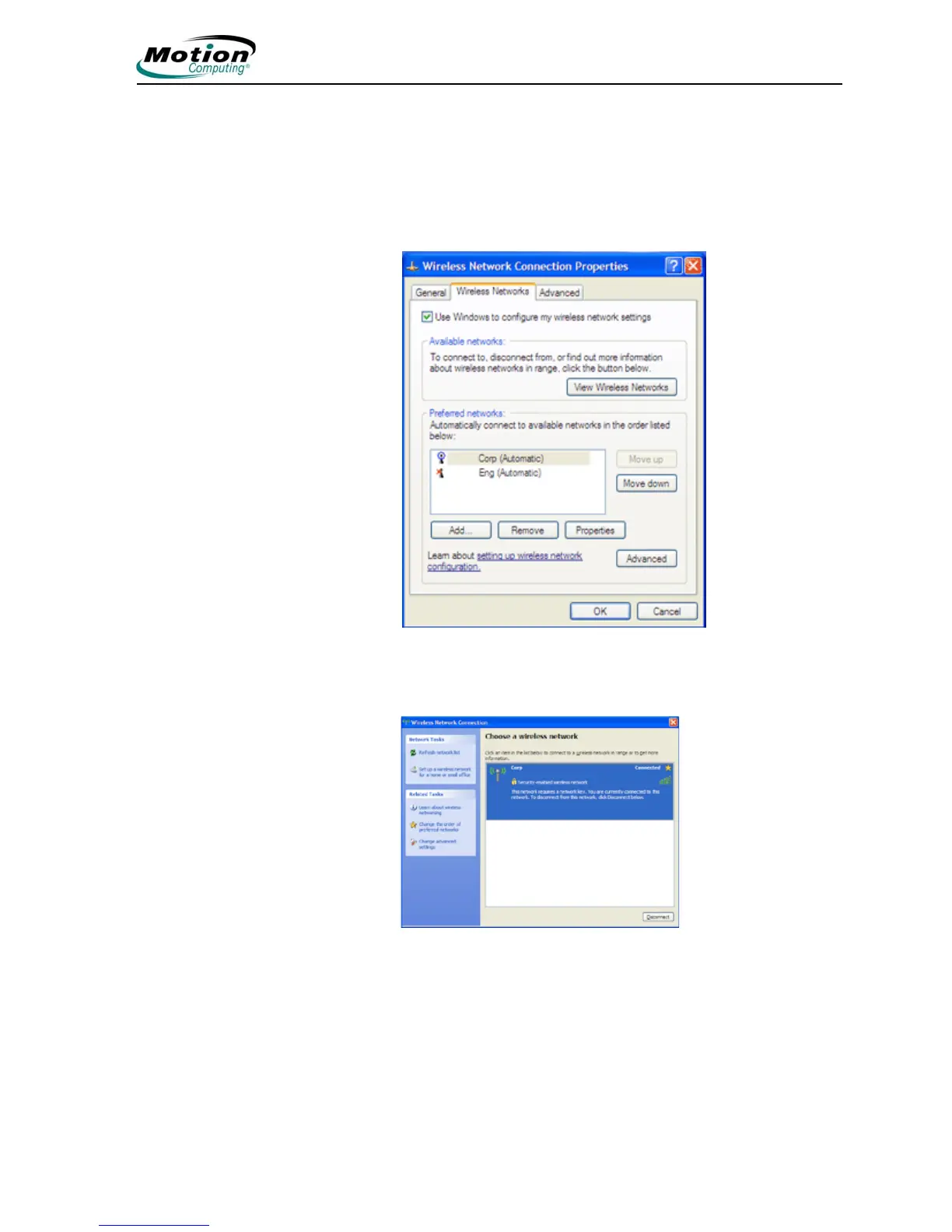
2. Under Wireless on the Motion Dashboard, tap Properties.
3. In the Wireless Network Connection Properties window, tap the
Wireless Networks tab.
4. In the Wireless Networks window, tap View Wireless Networks to see a
list of available networks
5. Highlight the network you want to connect to and tap Connect.
6. Tap OK.
NOTE: If you are on a secure network, you may also need to enter
a network key.



 To Next Page