Motion Computing LE1600 and LS800 Tablet PC User Guide 9
WARNING: To avoid personal injury, handle the
battery with care. Do not open, puncture, short, or
expose it to fire or water. Keep the battery in an
ambient temperature of less than +104°F (+40°C); for
example, do not leave it in a closed car in hot weather
for an extended time.
For additional safety information, see the Safety and
Regulatory Guide packaged with your Tablet PC.
LE1600
TABLET PC
BUTTONS,
SLOTS AND
PORTS
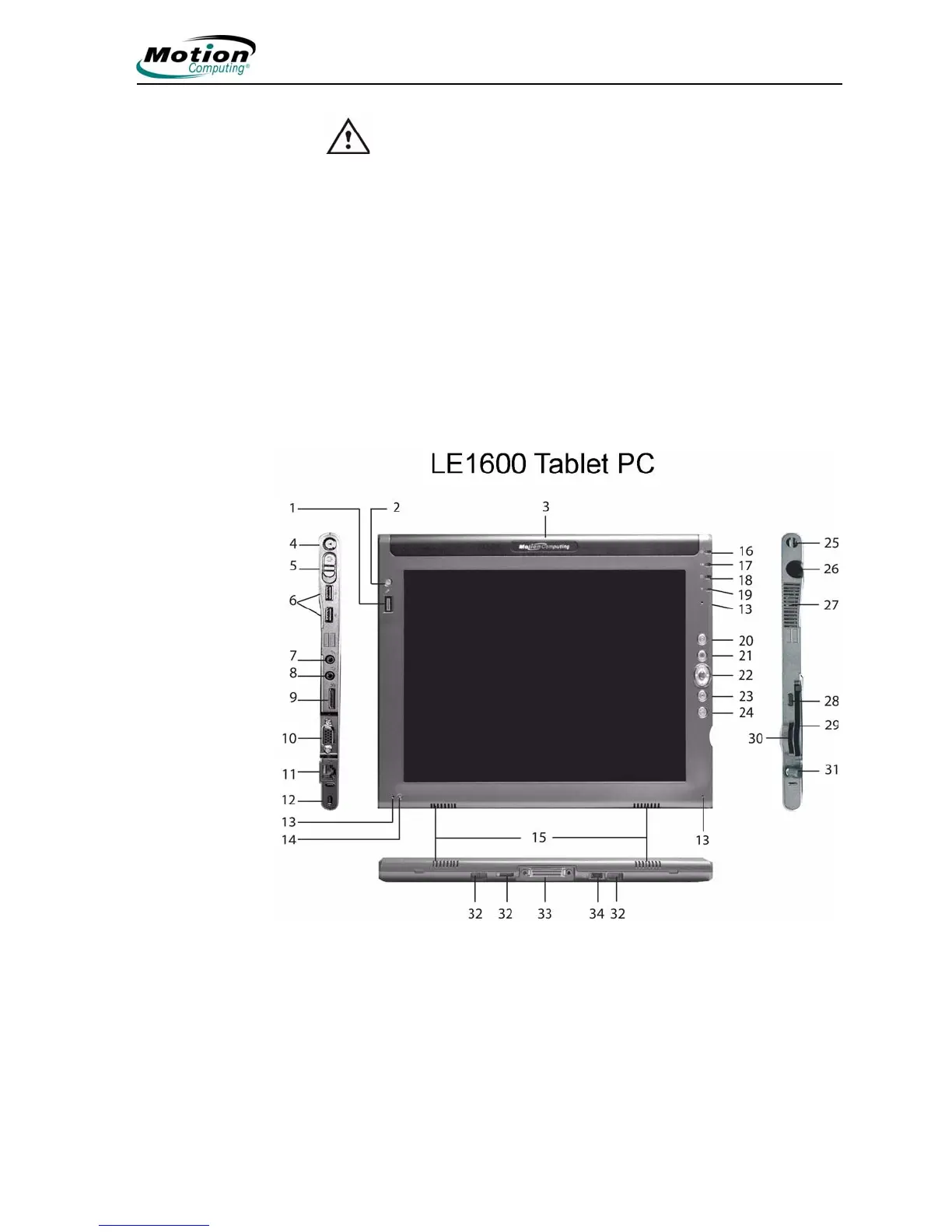
The following illustration shows the buttons, slots, and ports on the Motion
LE1600 Tablet PC. Refer to the table following the illustration for a
description of each item. While there are no controls on the back side, there
is a sliding panel that covers the Extended Battery connector. This panel
must be open before connecting the optional Extended Battery. The
connector panel should be closed when not being used.



 To Next Page