Motion Computing LE1600 and LS800 Tablet PC User Guide 63
2. Under Wireless on the Motion Dashboard, tap Properties.
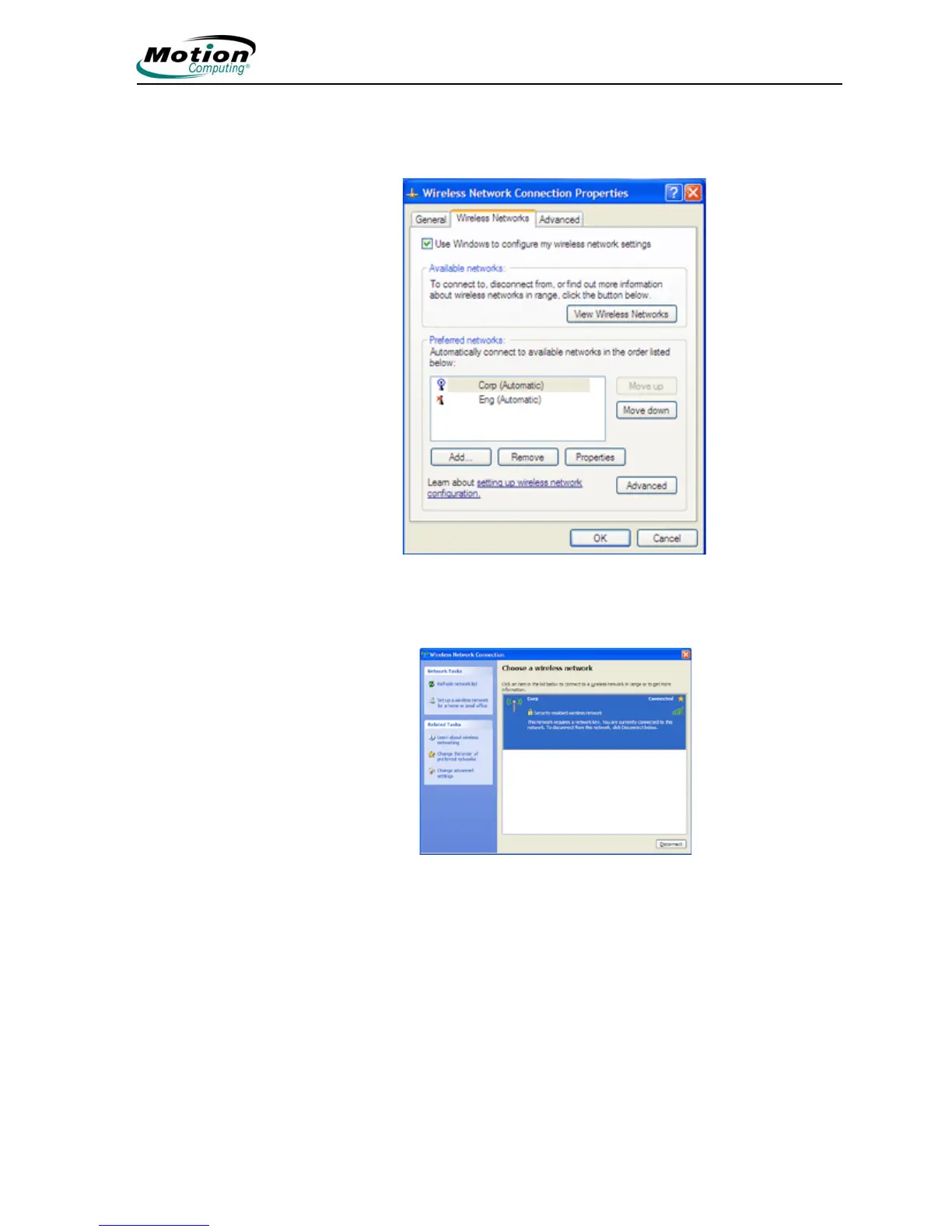
3. In the Wireless Network Connection Properties window, tap the
Wireless Networks tab.
.
4. In the Wireless Networks window, tap View Wireless Networks to
see a list of available networks
5. Highlight the network you want to connect to and tap Connect.
6. Tap OK.
NOTE: If you are on a secure network, you may also need to
enter a network key.
Bluetooth Wireless Connections
The internal Bluetooth wireless radio in the Tablet PC is disabled by default.
This setting is found in the Motion Dashboard.
Bluetooth software comes pre-installed on your Tablet PC. To begin using
Bluetooth, open the Motion Dashboard, and check the box that enables



 To Next Page