Motion Computing LE1600 and LS800 Tablet PC User Guide 33
open on the extended display, you can disable it from the
Windows Control Panel Display Properties or from the
Motion
Dashboard.
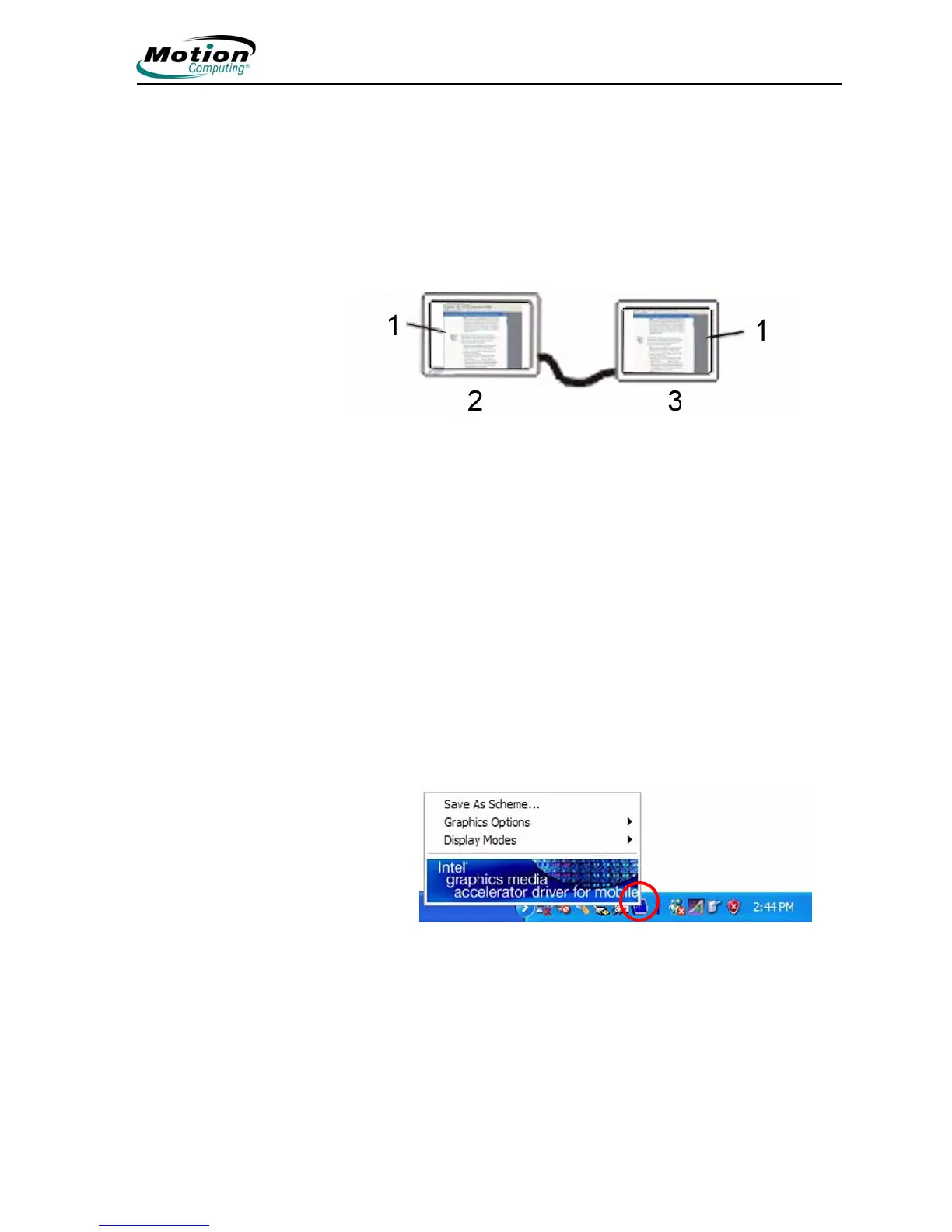
Setting Up a Mirrored Display. Use this feature to connect an external
projector for presentations or an extra display on your desk. This
example shows a Word document (1) displayed (“mirrored”) on both the
Tablet PC (2) and an external monitor (3).
Mirrored Display Example: (1) Word document; (2) Tablet
PC display; (3) external monitor
NOTE: The resolution and orientation of the external monitor
will be the same as the Tablet PC display.
To Mirror the Tablet PC Display, Do the Following:
1. Open the Motion Dashboard.
2. Select the Mirror Display radio button under External Monitor.
This setting automatically creates an identical display on the exter-
nal monitor.
NOTE: You can also tap the icon for the Intel Graphics Media
Accelerator Driver for Mobile, in the system tray at the bottom
right of the Tablet PC display (or found in the Windows Control
Panel) to set up this feature from the Graphics Media pop-up
menu.



 To Next Page