Chapter 4
Using Your Motion Tablet PC
Motion Computing M1400 Tablet PC User Guide 53
BLUETOOTH
DEVICES ICON
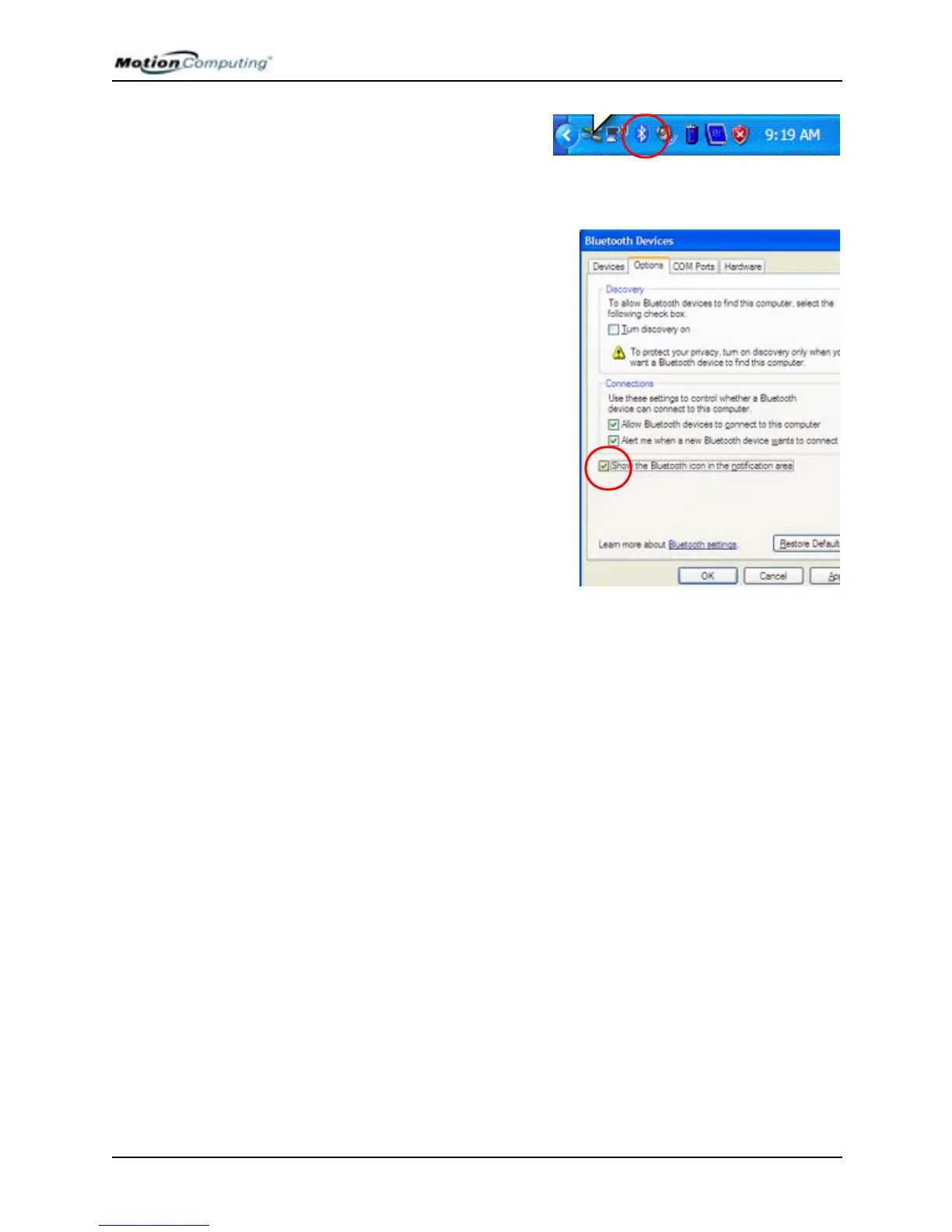
When you first turn on your Tablet
PC, you will see a Bluetooth
Devices icon in the system tray.
This icon offers shortcuts to the Bluetooth Devices window, the Add
Bluetooth Device Wizard, and the Bluetooth File Transfer Wizard.
NOTE: If your Bluetooth Devices icon
does not appear in the system tray,
you can add it by going to
Start>Control Panel and tapping the
Bluetooth Devices icon. When the
Bluetooth Devices window appears,
tap the Options tab and place a
checkmark beside Show the Bluetooth
Devices icon in the notification area.



 To Next Page