Chapter 4
Using Your Motion Tablet PC
Motion Computing M1400 Tablet PC User Guide 56
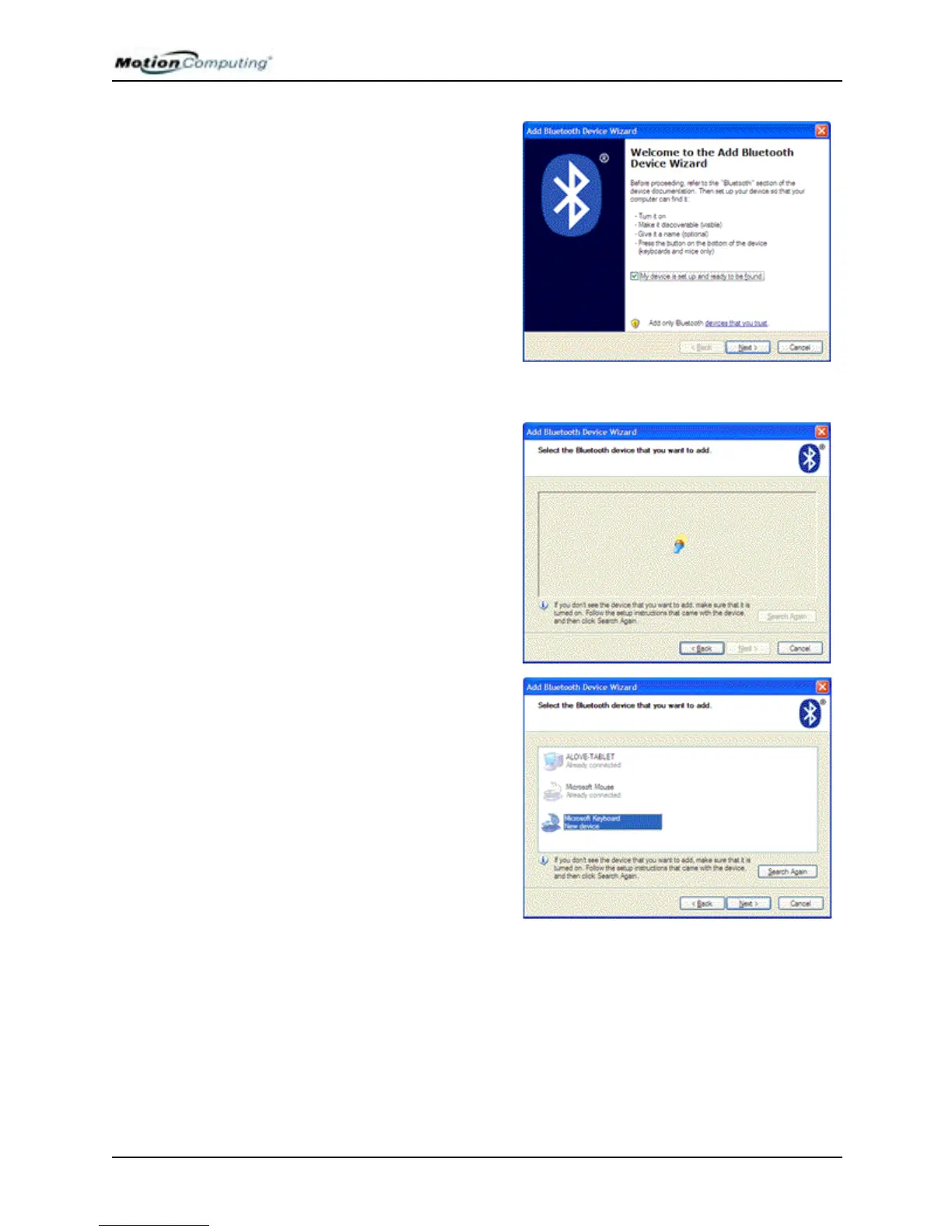
b. After you make the Blue-
tooth device discoverable,
place a checkbox beside “My
device is set up and ready to be
found.”
c. Tap Next.
3. Add the Bluetooth device
a. The Add Bluetooth Device
Wizard begins searching for
Bluetooth devices within range.
NOTE: If the system does not
find the Bluetooth device in a
short time, tap Back, reset the
device (to make it discover-
able) and tap Search Again.
b. When the icon for your
Bluetooth device appears in the
Select a Bluetooth device you
want to add window, highlight
the device.
c. Tap Next.
NOTE: The Tablet PC may discover other Bluetooth devices and display them in
this window, as shown in this example.



 To Next Page