Chapter 1 Getting Started Overview of the C5m/F5m 10
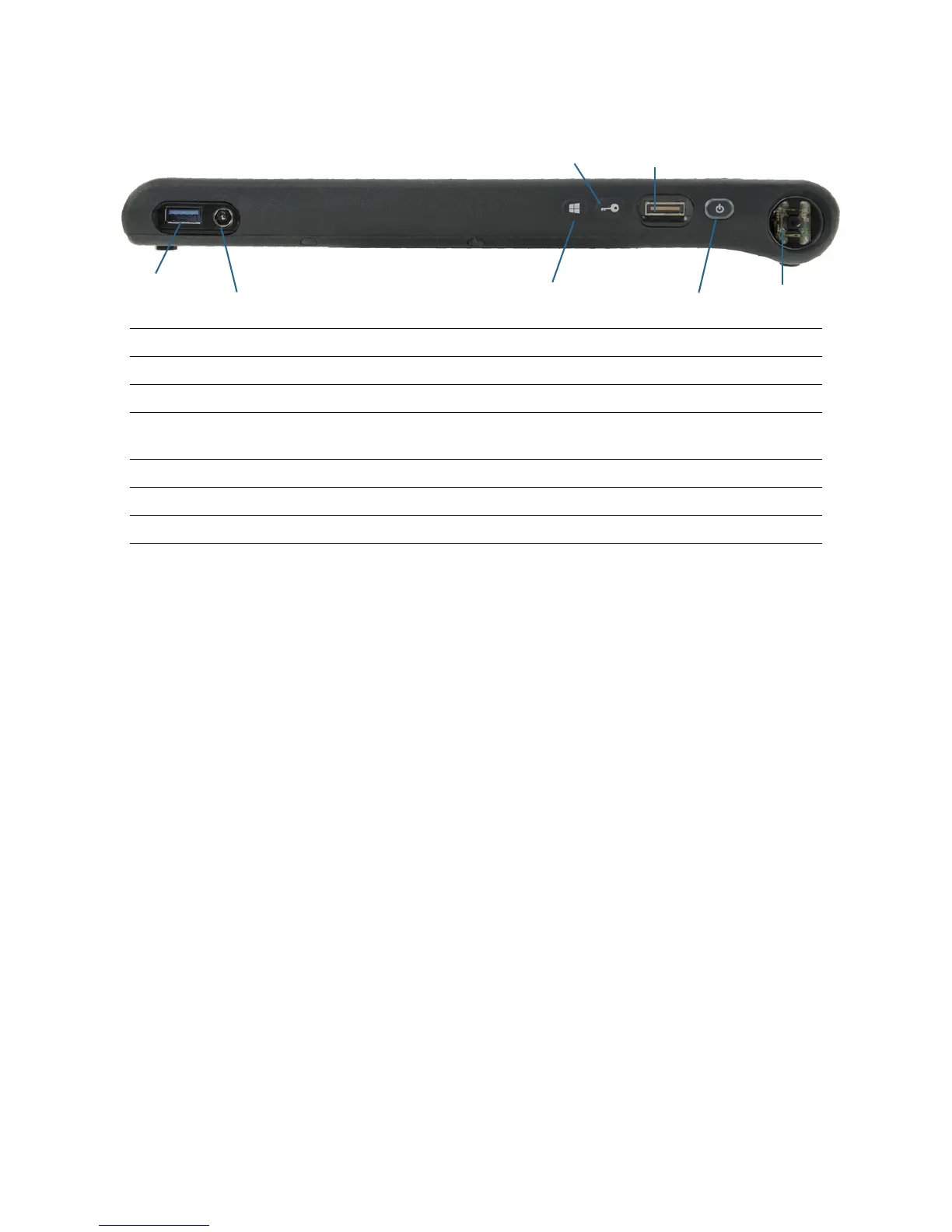
Right side
USB 3.0 port Connects to a USB device.
Power adapter port Connects to the power adapter.
Windows® button Opens the Windows Start menu.
Security button Use to log on to or lock the tablet. Equivalent to Ctrl+Alt+Del on a
keyboard.
Fingerprint reader Scan your fingerprints for added security.
Power button Turns the tablet on and off.
Barcode scanner (optional) Reads 1D and 2D barcode labels.
Fingerprint
reader
Barcode scanner
Windows
®
button
Security button
USB 3.0 port
Power adapter port
(optional)
Power button



 To Next Page