Chapter 1 Getting Started Overview of the C5m/F5m 11
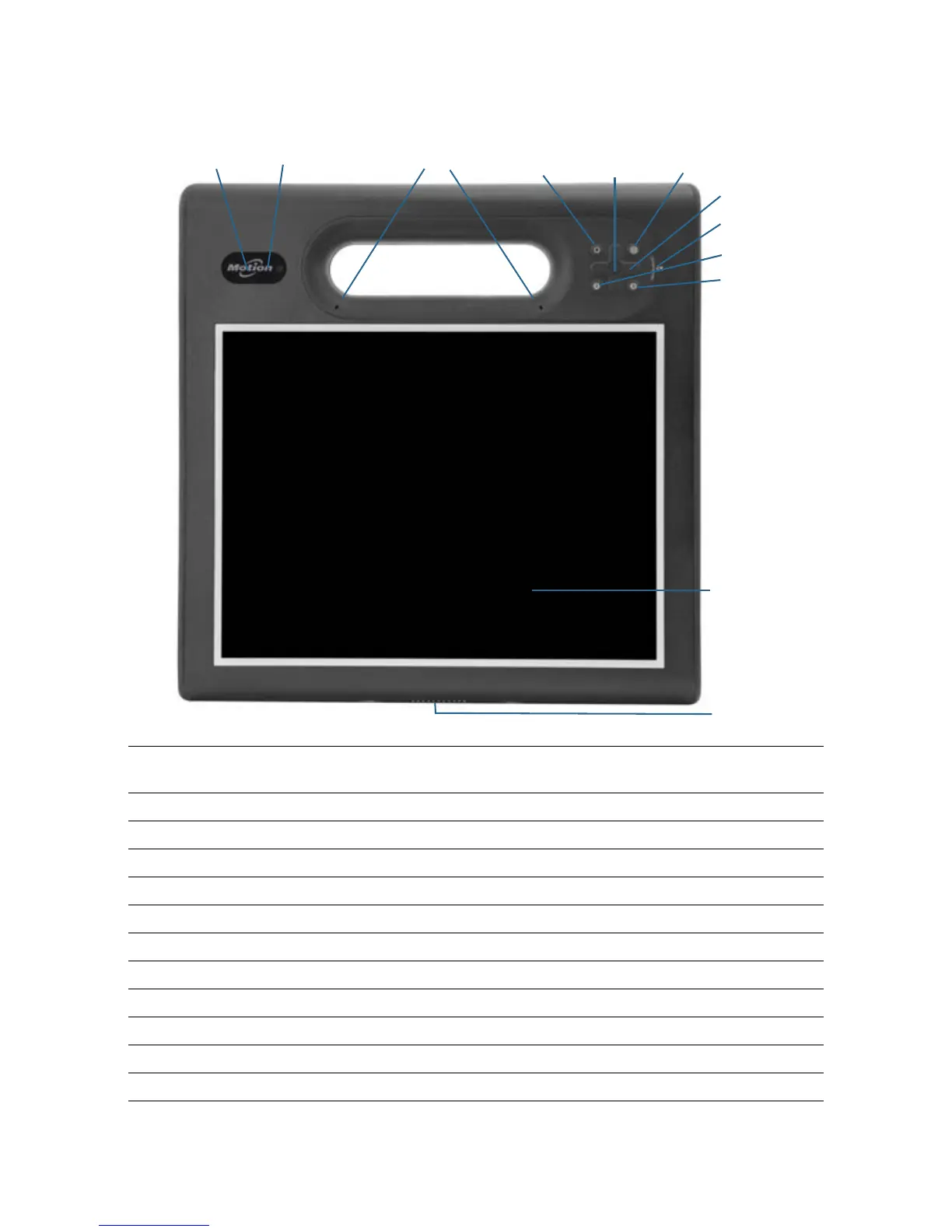
Front
Web camera indicator light
(optional)
Indicates that the optional web camera is active.
Web camera (optional) Use for web-based video communication.
Microphones Records sounds and used for speech recognition.
Function button Activates secondary functions for other buttons.
Enter button Makes a selection (equivalent to the Enter key).
Motion Dashboard button Opens Motion Dashboard.
Directional pad Use for basic navigation. Equivalent to the arrow keys on a keyboard.
Battery gauge Shows battery status.
A button Configure a custom action.
B button Activates the barcode scanner (if installed).
Touchscreen display Use your finger or pen to navigate the tablet.
Docking connector Connects to a C5/F5-Series docking station.
Directional pad
Motion Dashboard
B button
Battery gauge
Docking connector
Microphones
Web camera
Touchscreen
button
Function
A button
Web camera
indicator light
button
Enter
button
display



 To Next Page