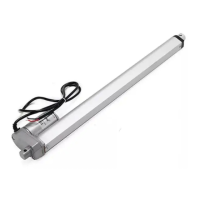
MOTION CM-09/10 ELECTRONIC TUBULAR MOTOR
Frequently Asked Questions
EnglishEnglish
Problem Cause Solution
Blind does not work.
Power supply is not connected. Connect the power supply to the motor.
Remote battery is empty. (LEDS of remote
are flashing rapidly.)
Replace the battery in the remote.
See the manual of the remote.
Remote battery is inserted incorrectly.
Replace the battery in the remote.
See the manual of the remote.
Radio-frequency interference Make sure that the antenna of the motor is
out of the way from metal objects.
The distance from the remote to
the motor is too far.
Move closer to the motor.
The remote is not connected to
the blind.
Pair the remote to the motor.
See step 3.
Multiple blinds respond to a
remote. (Unable to program a
single blind)
Multiple blinds are paired to a single
channel.
Pair the blind to a free channel to program
or use single select to program the blind.
Blind moves in small steps.
1) No end limits are programmed.
2) Direct control is de-activated.
1) Program end limits. See step 5 - 8.
2) Activate direct control. See step 14.
Favourite position can not
be programmed.
No end limits are programmed. Program end limits. See step 8 - 11.
Blind lowers too far. End limits are programmed incorrect. Reprogram end limits. See step 8 - 8.
Blind moves in the opposite
direction
The direction of rotation has been
set incorrect.
Change the direction of rotation.
See step 4.
The blind keeps moving up and
down.
The blind is in program mode. Press the program button on the motor
to exit program mode.



 To Next Page