32 Chapter 2 Using your CL900 Using the cameras with Motion QuickNav
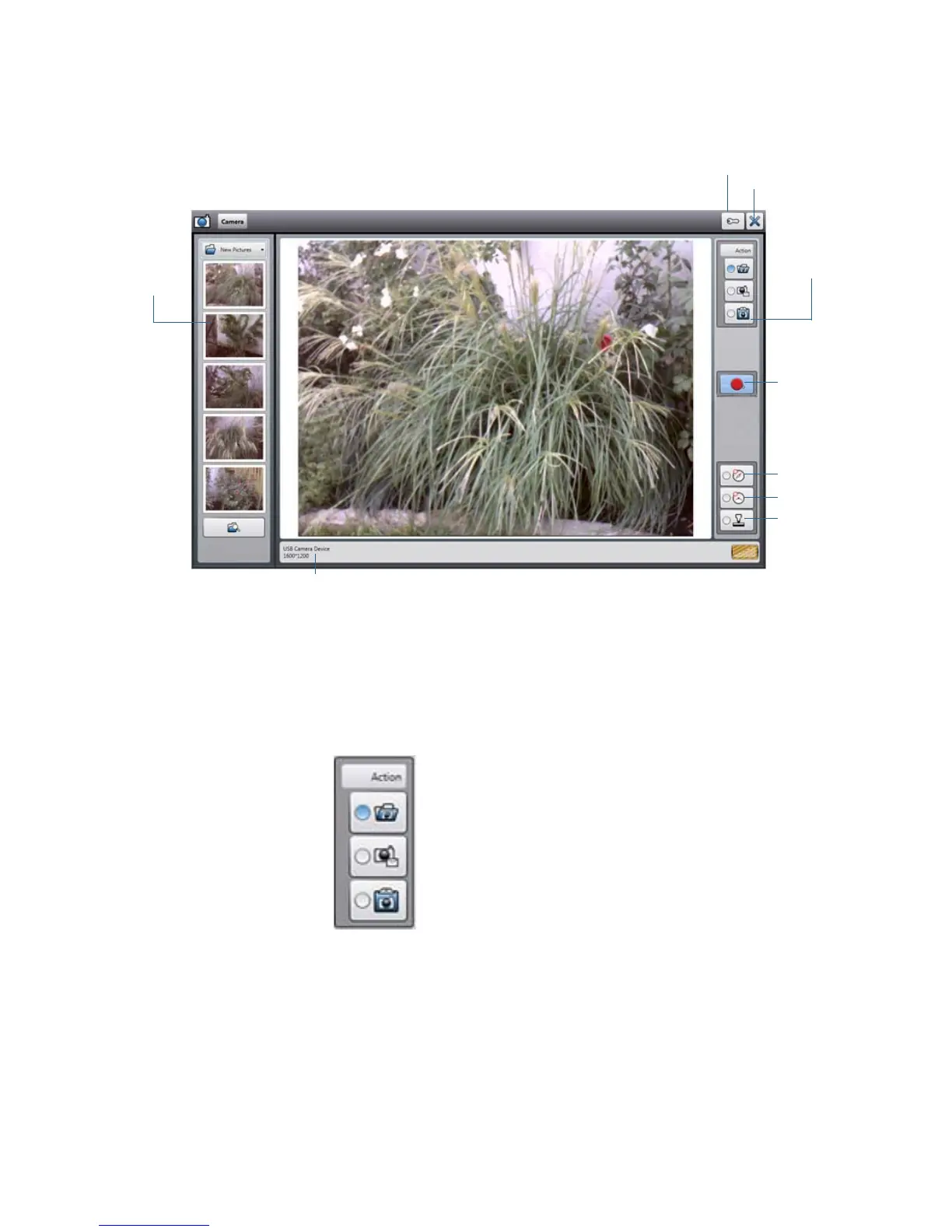
When you select the camera tool from the Motion QuickNav tool bar, the viewfinder
appears
.
Motion QuickNav photo viewfinder
Saving, emailing, or adding photos to an application
The Action menu on the top right allows you to choose how Motion QuickNav handles your
photos as you take them. You can store them on disk, email them, or send them to the
clipboard where they are loaded into an active program on your desktop.
Action menu to select photo destination
By default, Motion QuickNav saves photos to a folder.
options
close
shutter
geotag
time tag
stamp
photo
reviewer
icon
menu
Action
camera information
attach photos to an email message
send a photo to an application
save photos to a folder



 To Next Page