Need help?
Do you have a question about the MotionGrey Motion Series and is the answer not in the manual?
Ensure clear space around the desk and adequate cord length for movement.
Keep children away from the desk components to prevent injury and electric shock.
Protect electrical parts from liquids and do not open components due to shock risk.
Do not sit/stand on frame; avoid objects taller than 20" underneath.
Note desk duty cycle and potential need for manual reset after power loss.
Use desk in dry areas for ergonomic positioning; other uses are at user's risk.
Manufacturer disclaims liability for damages from improper desk use or handling.
Review manual carefully; transfer it if the desk is sold.
Lists all accessories included with the desk.
Lists the necessary tools for assembly.
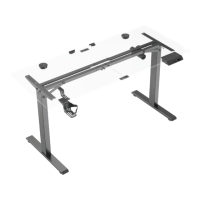
Details all components included in the desk kit.
Separate the frame ends from the center rail.
Insert frame end into leg and tighten with M6x10 screws.
Slide side bracket into frame end and secure with M6x10 screws.
Slide frame ends into the center rail, ensuring slots face inward.
Attach feet to each leg assembly using four M6x16 screws.
Position desk base under tabletop and secure frame with six M5x16 screws.
Secure the keypad and control box to the tabletop using four screws.
Connect frame cable, keypad cable, and power cable to the control box.
Carefully turn the assembled desk right-side up and perform a final inspection.
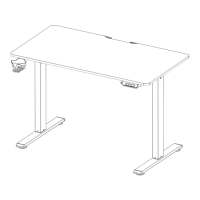
The Motion Series Standing Desk is an electric height-adjustable desk designed for use in dry work areas, providing an ergonomically suitable position for users. This desk features electric motors that allow for easy height adjustments, promoting a healthier and more comfortable working environment. The assembly process is straightforward, requiring the user to follow a series of steps to construct the desk frame and attach the desktop, control box, and keypad.
The primary function of the Motion Series Standing Desk is to provide a versatile workspace that can be adjusted in height to suit individual ergonomic needs. This allows users to switch between sitting and standing positions throughout the day, which can help reduce the health risks associated with prolonged sitting. The electric motors facilitate smooth and quiet height transitions, ensuring minimal disruption to the user's work. The desk is designed to be robust and stable, supporting various desktop setups and equipment. The control box acts as the central hub for the desk's electronic components, managing the power supply and communication between the keypad and the lifting columns. The keypad provides an intuitive interface for controlling the desk's height, often including memory presets for frequently used positions.
The Motion Series Standing Desk offers several features that enhance its usability and user experience. The electric height adjustment mechanism is a core feature, allowing users to effortlessly raise or lower the desk with the push of a button. Many models include programmable memory presets on the keypad, enabling users to save their preferred sitting and standing heights for quick and convenient adjustments. This feature is particularly useful for multiple users or for individuals who frequently switch between different tasks requiring specific desk heights. The desk is designed to accommodate a variety of desktop sizes and materials, providing flexibility for customization. The sturdy construction ensures stability even at its maximum height, minimizing wobble and providing a secure surface for work. The desk's design often incorporates cable management solutions, such as trays or clips, to help keep power cords and other cables organized and out of sight, contributing to a cleaner and safer workspace. The duty cycle of 10% (2 minutes on, 18 minutes off) is an important operational parameter, indicating that the motors are designed for intermittent use rather than continuous operation, which helps prolong their lifespan.
Maintaining the Motion Series Standing Desk involves a few key considerations to ensure its longevity and safe operation. Users are advised to regularly check for any obstacles in the desk's path during height adjustments and ensure that the desk is not touching any walls. It is also important to verify that all cords are long enough to accommodate height changes without becoming taut or disconnected. The manual emphasizes the importance of keeping children away from the electric height-adjustable desks, control units, and handsets to prevent injury and electric shock. Users should avoid exposing any electrical components to liquids, as this can cause damage or create a safety hazard. The desk frame is not designed to support a person's weight, so users should not sit or stand on it, nor crawl or lie underneath it. Objects taller than 20 inches should not be placed underneath the desk to prevent interference with the lifting mechanism. Crucially, users are warned not to open any of the components, including the legs, control box, or switch, due to the danger of electric shock. In the event of a power outage or if the power cord is unplugged, a manual reset may be necessary, and users are directed to consult the "USE" section of the manual for instructions. Regular inspection of the desk for any loose screws or components is recommended, and any issues should be addressed promptly using the appropriate tools, such as the provided Allen key. The manufacturer explicitly states that warranty claims or liability claims resulting from improper use or handling of the desk frame will not be accepted, underscoring the importance of adhering to the provided instructions. If the desk is sold, the manual should be provided to the new owner to ensure they are aware of all operational and maintenance guidelines.
 General
| Type | Standing Desk |
|---|---|
| Height Adjustment | Electric |
| Height Range | 28" - 47" |
| Color | White |
| Warranty | 5 years |

 To Next Page