EasyManua.ls Logo

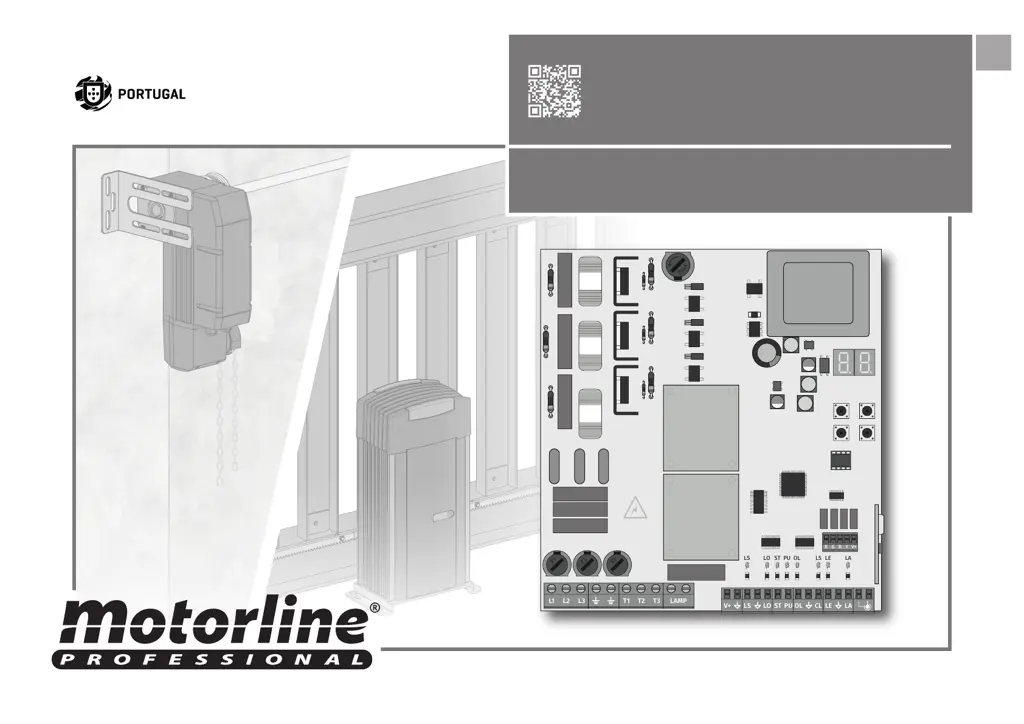
Motorline MC410 - User Manual

Motorline MC410
15 pages
Print Icon
To Next Page IconTo Next Page
Loading...
F1
F2
F3
L1 L2
V+
L3 T1 LAMPT2 T3
LS LO OL CL LE LAST PU
LS LO ST PU OL LS LE LA
R G B Y V+
v1.2
REV. 03/2021
MC410MC410
EN
INSTALLER AND USER’S MANUAL

Questions and Answers

Summary

Safety Instructions

General Warnings

Important safety and usage information. Read all instructions before installation/usage.

Warnings for Technicians

Installation precautions for qualified technicians, safety device requirements, and environmental considerations.

Responsibility

Supplier disclaims liability for improper installation, use, maintenance, or unauthorized modifications.

Symbols Legend

Explanation of symbols used in the manual for safety, information, and programming.

Control Board

Technical Specifications

Details on power supply, outputs, working temperature, memory capacity, and dimensions of the MC410 control board.

Connectors

Identification and description of various connectors on the control board for inputs, outputs, and accessories.

Installation

Installation Map (STARK)

Wiring diagram for the STARK installation, showing connections to the control board and accessories.

Installation Map (KVM105-KVM110-KVM115)

Wiring diagram for KVM105-KVM110-KVM115 installations, detailing connections for motor, photocells, etc.

Base Installation Process

Steps for basic installation, including connections, power supply, and initial checks of gate movement.

Programming and Transmitter Management

Programming and Delete Transmitters

Guide for programming and erasing remote control transmitters for total or pedestrian opening.

Functions - Menu P

Menus P

Overview of Menu P functions for programming course, deceleration, force, pause time, and photocells.

PO | Automatic Programming

Procedure for automatic programming of gate engine operation and slowdown using limit switches.

PO | Semi-Automatic Programming

Procedure for semi-automatic programming of gate working time, defining slowdown points manually.

P1 - P2 - P3 - P4

Detailed explanation of parameters for time adjustment, force adjustment, pedestrian course time, and pause time.

P5 - P6

Configuration for Photocell 1 and Photocell 2 safety behaviors, including enable/disable and action on activation.

P7 - P8 - P9

Settings for operating logic (automatic, step-by-step), flashing light modes, and remote programming enable/disable.

Functions - Menu E

Menus E

Overview of Menu E functions for present man, soft start, courtesy light, follow me, electronic brake, and deceleration speed.

EO - E1 - E2

Functions related to Present Man operation, Soft Start activation, and Courtesy Light time adjustment.

E3 - E5 - E6 - E7

Parameters for Follow Me function, Brake/Lock/Push settings, Deceleration Speed, and Manoeuvres Counter.

E8 - E9

Functions for resetting factory versions (Sectional/Sliding) and configuring RGB output modes.

Display Indications and Component Tests

Display Indications

Table explaining the various display indications and error codes on the control board.

Erl Errors

Explanation of ERL1, ERL2, ERL3 errors related to input phases or motor connections.

Troubleshooting

Final Consumers Instructions and Specialized Installers

Troubleshooting guide for common anomalies like motor not working, not moving, or not closing completely.

Motorline MC410 Specifications

General IconGeneral
Max Gate Weight400 kg
Protection ClassIP44
TypeGate Opener
Power Supply230V AC
Safety FeaturesObstacle detection
Remote ControlYes
Operating Temperature-20°C to +55°C

Related product manuals