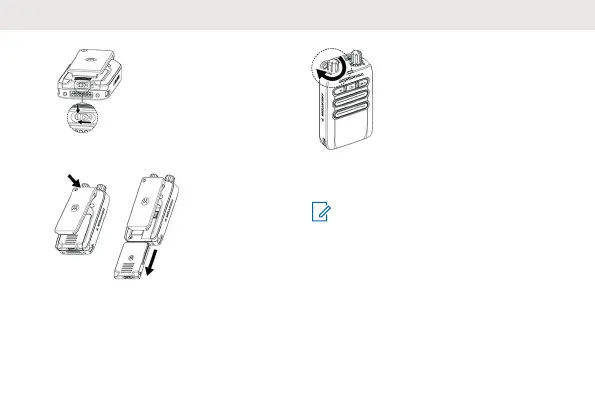
2. Press and hold the belt clip down. Slide the
battery pack downwards.
Turning the Device On or Off
T
urning the Device On
Rotate the On/Off/Volume Control Knob
clockwise until you hear a click.
When your device is turned on, you hear
audible beeps, and the red and yellow LED
blink simultaneously four times.
NOTE: Ensure that your battery is
properly charged and attached. If your
device fails to turn on after repeating a
few times, contact your dealer
.
Turning the Device Off
Rotate the On/Off/Volume Control Knob
counterclockwise beyond the white volume
level indicator until you hear a click.
English
3



 To Next Page
 Loading...


