2 Turn the battery locating rail around so the back faces the front.
NOTE: Batteries PMNN4598_ and PMNN4600_ charge with the battery locating rail in
the standard battery position.
3 Re-insert the battery into the charger pocket.
2.2
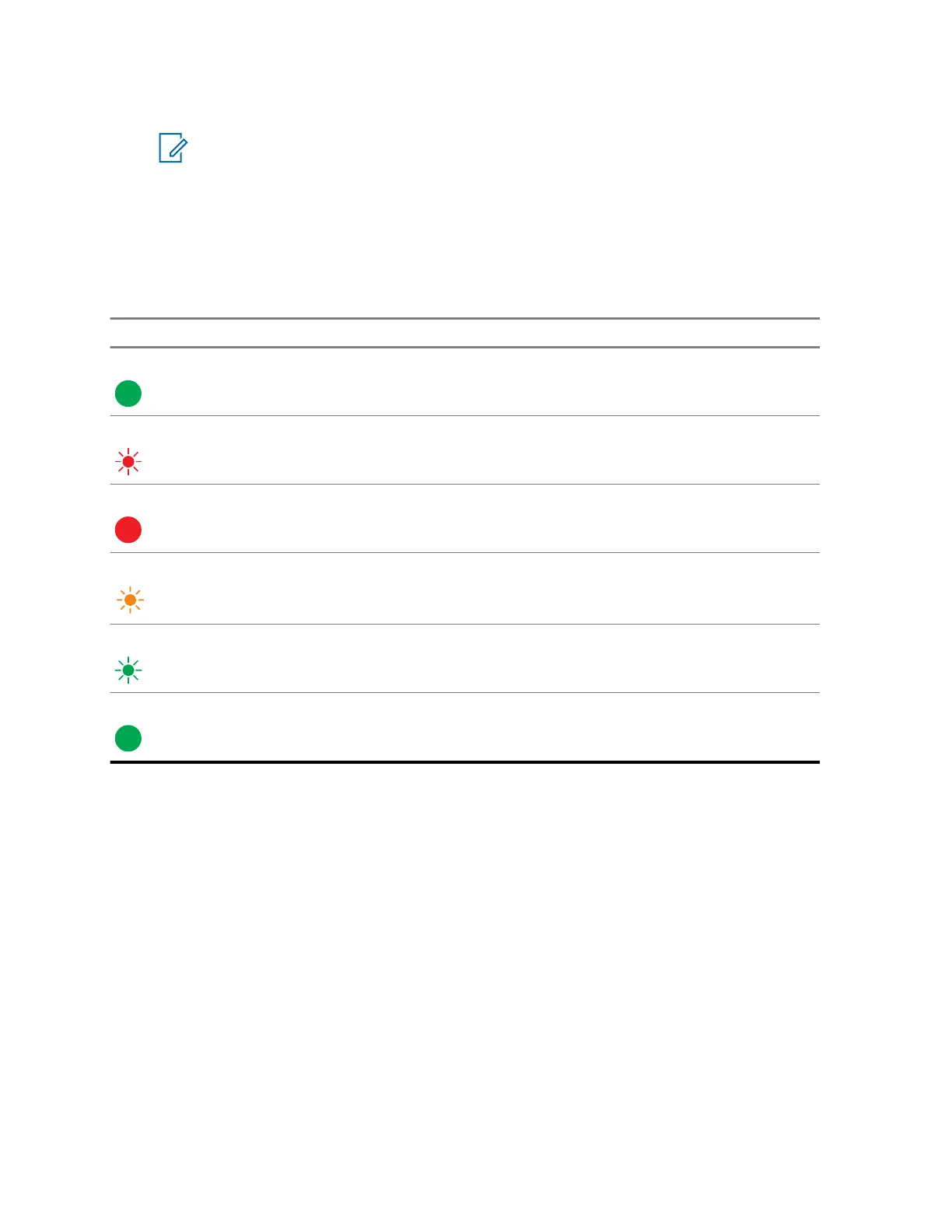
Charging Indicators
Table 3: Charging Indicators
LED Indicator Description
Green for approximately one second Successful charger power-up.
Blinking Red Battery is unchargeable or not making proper
contact.
Steady Red Battery in rapid charge mode.
Blinking Yellow
• Battery is in charger
•
Battery is waiting to be charged
Blinking Green Battery is charged to 90 % or greater capacity.
Steady Green Battery is fully charged.
MN009994A01-AA
Chapter 2 : Operating Instructions
14



 To Next Page
 Loading...






