Camera 33
ENGLISH
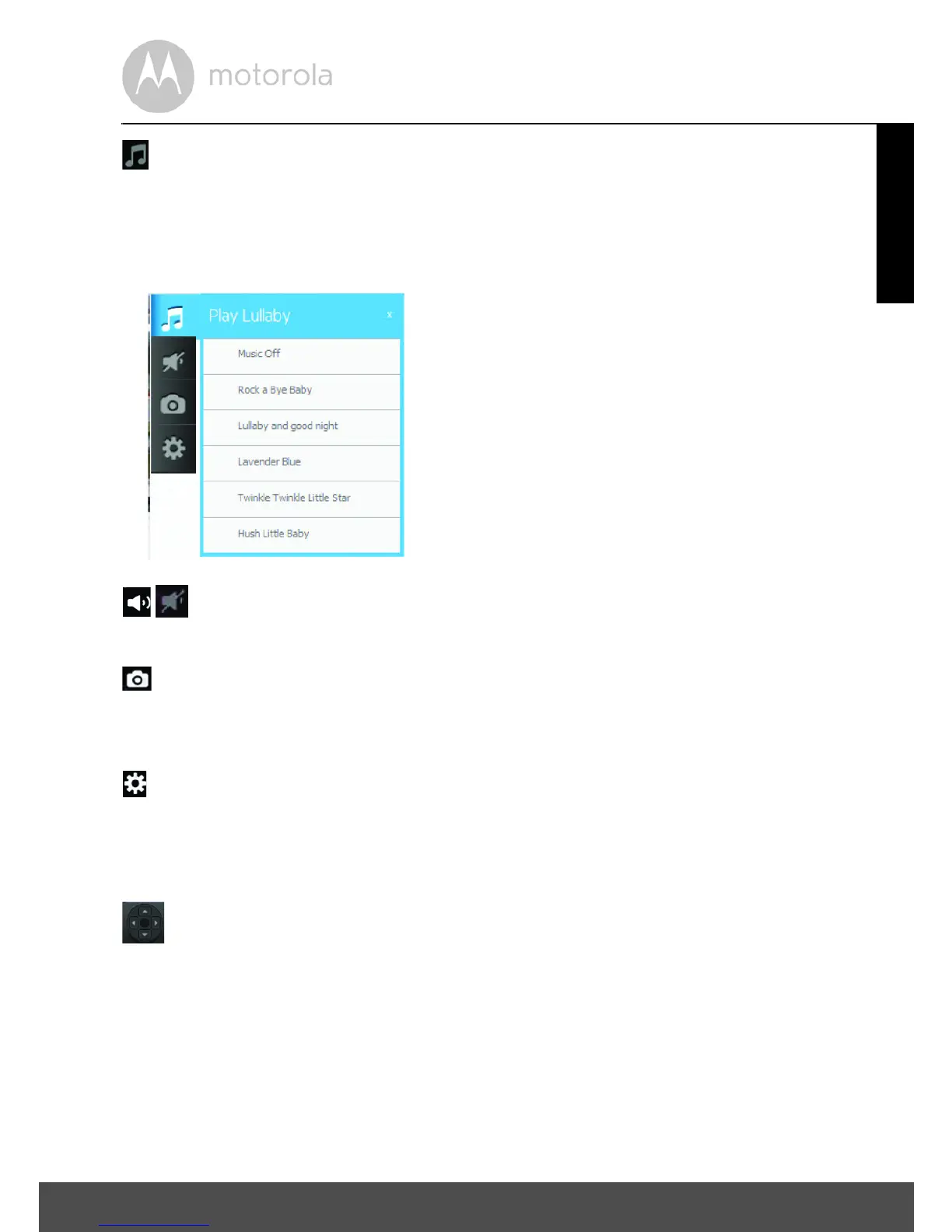
Play Lullaby:
Tap the icon to show the Play Lullaby menu.
Select one of the five songs to play the lullaby.
Tap Music OFF to stop playing.
Speaker:
Tap the icon to turn audio monitoring ON or OFF.
Photo/Video:
Take a picture or record a video and select the space where it should be saved
on your computer.
Camera Settings:
Under Display, adjust the Video Quality.
Move the sliders from left (-) to right (+) to adjust Contrast, Brightness, and
Volume.
Pan and Tilt Function:
Tap the up and down buttons to tilt and the left and right buttons to pan.
Temperature:
The current room temperature will always be displayed.
• Tap LOGOUT to leave the account.

 To Next Page
 Loading...