40 Camera
Tap Cameras to return to the Camera list.
Tap on to add another Camera to the list.
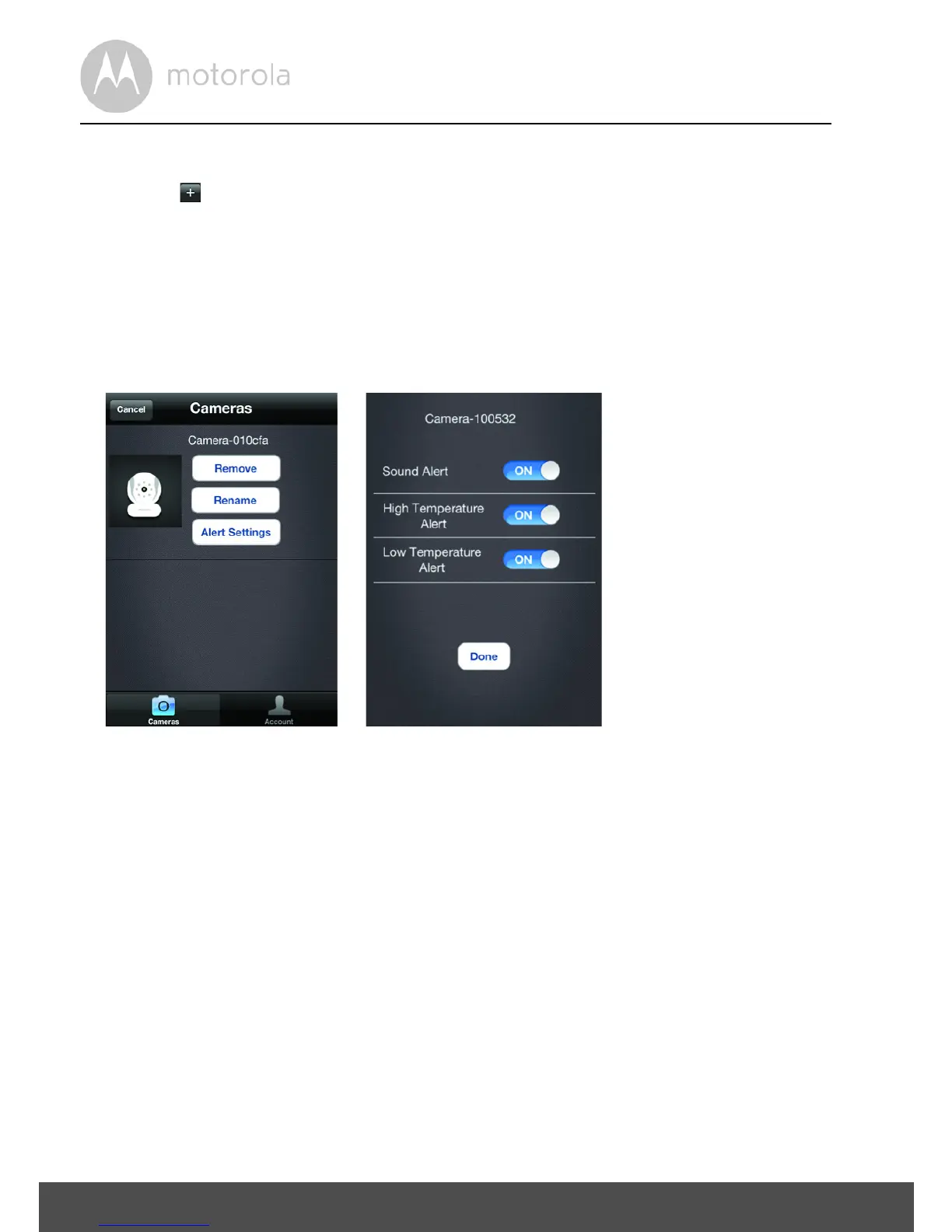
• Tap on Edit:
• Tap Remove to take a Camera off the list.
• Tap Rename to give a Camera a new name.
• Tap Alert Settings to receive notifications if a noise is detected or the
temperature in your baby's room is too high or too low.
• If you use Alert Settings, under Settings on your iPhone
®
/ iPad
®
, select
Notifications > Baby Cam > Notification Center ON.
• Select your preferred Alert Style and return to the application and tap Done.
• Tap Cancel to return to the Camera list.
• Tap on Account to change the password.
• Tap on Logout to leave the account.
4.7 Adding another Camera:
Working with iPhone
®
/iPad
®
Follow the same steps as under 3.3 User Account and Camera Setup, Working
with iPhone
®
/iPad
®
.


 To Next Page
 Loading...