7
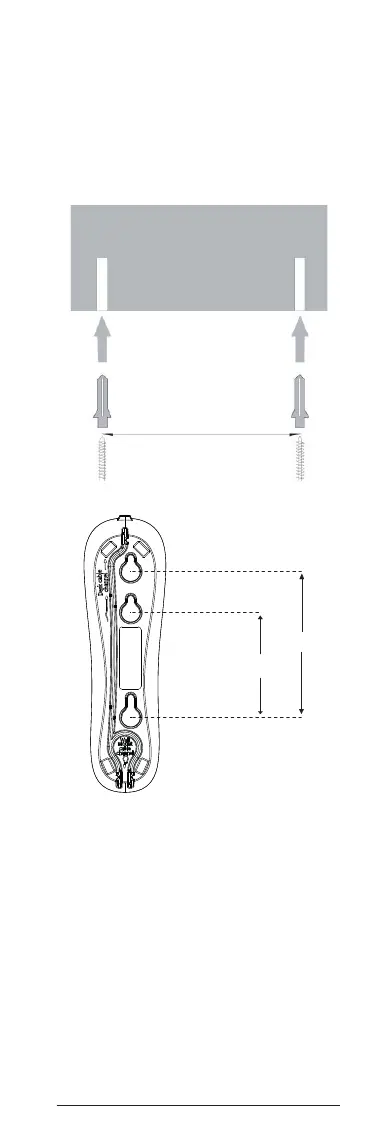
3. Wall mounting
Important
Before you wall-mount your CT50, check
that you are not drilling into any hidden
wiring or pipes. Before you drill, make sure
the telephone line cable will reach the
socket.
1. Drill two 4mm diameter holes in the wall
10 or 7.2 cm apart vertically.
10cm
7.2cm
Wall
10 or 7.2 cm
Wall plug
Screw



 To Next Page
 Loading...










