SHAW DIGITAL BOX
INSTALLATION INSTRUCTIONS
(Approx. Hardware Setup Time: 10-15 Minutes)
STEP 1
|
DO YOU HAVE EVERYTHING?
The following components are included in the package that your Digital box came in:
Cable Cord (Coax) Power Pack RCA Cables
Shaw Remote
STEP 2
|
TIME TO HOOK UP YOUR NEW HARDWARE.
B. Find a location to put your new hardware that will allow
it to breathe.
C. Screw one end of the
included white cable cord
(with silver ends) in to your
wall cable outlet and the
other end in to RF IN on
the back of the Digital box.
For an optimal viewing
experience, we recommend
using the included cable
cord instead of any others
that you might have around.
A. Your serial number, “SN,” is located on the back of the
Digital box (next to RF IN) and starts with the letter “M”.
You will also need your Shaw account number, which
can be found in the top right hand corner of your Shaw
invoice.
Before your hook up your Digital box, write your serial
number and account number below. You will need it
when you activate your new hardware.
Wall Outlet
Cable InCable Out
Serial Number:
Account Number:
Motorola DCT 700

 Need help?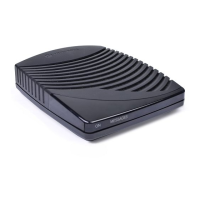

 To Next Page
 General







