Help
6. Help
Noise interference
Use of other 2.4 GHz products, such as Bluetooth™ systems or microwave
ovens, may cause interference with this product. Keep the Wi-Fi
®
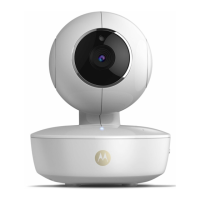
Camera Unit
at least 5ft away from these types of products, or turn them o if they appear to
be causing interference.
Lost connection
Check your Wi-Fi
®
settings. If necessary reconnect your Wi-Fi
®
. Ensure the
Wi-
Fi
®
Camera Unit is switched ON. Wait a few minutes to make the connection
with the Wi-Fi
®
system.
If you forgot your password
If you do not remember your password, tap Forgot password and submit
your e-mail address. A new password will be sent to your e-mail address
immediately.
Troubleshooting
Category Problem
Description / Error
Solution
Account I am unable to login
even after registration.
Please check your user name and
password.
Account I receive an error
message saying: “Email
ID is not registered”.
Please ensure that you have
registered with us. Tap Create
Account to create an account tobe
able to use the Wi-Fi
®
Home Video
Camera.



 To Next Page
 Loading...