EasyManua.ls Logo

Motorola HMWL1010 - User Manual

Motorola HMWL1010
10 pages
Print Icon
To Next Page IconTo Next Page
Loading...
Quick Start Guide
HMWL1010
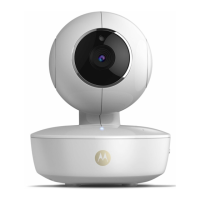
Wireless Camera

Other manuals for Motorola HMWL1010

Questions and Answers

  • G
    gregorywilkersonJul 30, 2025
    What to do if there is no camera picture on my Motorola HMWL1010?
    • C
      charles41Jul 31, 2025
      If your Motorola Security Camera isn't displaying a picture, verify that the camera and gateway are powered on and online. Also, make sure the correct camera is selected, and try repositioning both the camera and its antenna closer to the gateway.
  • T
    Tamara HendersonAug 5, 2025
    Why won't my Motorola HMWL1010 Security Camera register with the Gateway?
    • J
      Jennifer ChapmanAug 5, 2025
      If your Motorola Security Camera won't register with the Gateway, ensure the camera is powered, the Gateway is powered and online, and that you are pressing the Discovery button. Also, try repositioning the camera closer to the Gateway.
  • S
    smithdouglasAug 11, 2025
    How to improve poor picture quality on Motorola HMWL1010?
    • N
      Nicholas HumphreyAug 11, 2025
      If your Motorola Security Camera has poor picture quality: * Ensure you are using the proper power supply. * Make sure proper camera quality settings are configured when viewing. * Ensure your camera viewing area has proper lighting. * Try another location. * Adjust the camera antenna. * Select other operating channels on other 2.4 GHz devices.
  • B
    Brittany PerezAug 17, 2025
    What to do if motion events are not triggered on Motorola HMWL1010?
    • K
      Kyle JacobsAug 17, 2025
      If motion events are not being triggered on your Motorola Security Camera, ensure the camera is not positioned behind glass, as this can prevent the detection of heat changes. Also, check that the camera head is positioned correctly.
  • D
    David RodriguezAug 25, 2025
    Why does my Motorola HMWL1010 Security Camera have audio problems?
    • F
      farrellhaleyAug 25, 2025
      If you are experiencing audio problems with your Motorola Security Camera, first make sure the volume is turned up during video playback. Then, ensure the sound source is within the microphone's range (6-10 feet). Finally, confirm that your computer has a sound card and that the speakers are activated and sufficiently loud.

Summary

Regulatory Information

User Instructions

Instructions for users regarding FCC compliance and device operation, including digital device guidelines.

Limited Warranty

Details Motorola's warranty policy for the wireless camera product and software, including exclusions and limitations.

Battery Life and Product Registration

Battery Life Guidelines

Recommendations for using high-quality batteries and limitations on rechargeable battery use for optimal performance.

Product Registration

Instructions on how to register the product online via the provided website for warranty and support.

Introduction and Setup

Introduction to Wireless Camera

Overview of the Motorola Wireless Camera's features, including high-resolution video, motion detection, and audio.

Controlling Your Camera

Explanation of how to manage the home environment and receive event notifications using the Gateway and computer.

How the Camera Works

Details on the camera's surveying capabilities, motion detection triggering, and wireless transmission to the Gateway.

Package Contents

List of items included in the package for setting up the Motorola Wireless Camera system.

Installation Overview

Step-by-step guide for installing the camera, emphasizing the need for Gateway activation and proper power source.

Camera Mounting Instructions

Installation Hints

Key considerations for mounting the camera, including aiming, lighting, outdoor placement, and wireless reception.

Wall Mounting Your Camera

Detailed instructions for securely mounting the camera to a wall, including drilling and bracket usage.

Tabletop Mounting Your Camera

Guidance on placing the camera on a level surface and adjusting its position for optimal viewing and reception.

Troubleshooting and FAQ

Troubleshooting Common Issues

Solutions for common problems such as registration failure, no picture, poor quality, and motion detection issues.

Frequently Asked Questions

Answers to common user queries regarding gateway recognition, camera range, and microphone sensitivity.

Features and Specifications

Key Features

Summary of the camera's primary functions, including motion detection, audio capture, and weather resistance.

Technical Specifications

Detailed technical data for the camera, including lens, focus, resolution, range, and power consumption.

Wall Mounting Drilling Template

Drilling Template Guide

Visual guide and instructions for drilling holes for wall mounting, specifying tools and hole positions.

Motorola HMWL1010 Specifications

General IconGeneral
BrandMotorola
ModelHMWL1010
CategorySecurity Camera
LanguageEnglish

Related product manuals