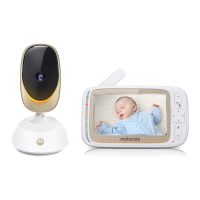
Overview of Baby Unit
1. Night Light
Lights in Amber color for local.
Flashs when in pairing mode.
2. Speaker
3. Power indicator
Lights in Orange when plug the device into power socket.
4. Night Light button
Press to turn on/o the nightlight.
5. PAIR button
Press and hold for 3s to enter to pairing mode.
Press and hold for more than 20s to de-register from Smart Nursery
App and reset to factory default.
6. Volume buttons (//)
Press to decrease/increase speaker volume.
7. Antenna
8. Power Plug
7
8
1
2
3
4
5
6



 To Next Page
 Loading...