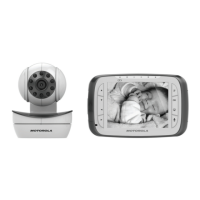
2. Basic operation of the keys
Parent Unit
0
ON/OFF button Press and hold to switch the Parent Unit ON/OFF.
+-
UP/DOWN buttons
Press to tilt the camera up or down.
Press to move up or down menu settings.
<>
LEFT/RIGHT
buttons
Press to pan the camera left or right.
Press to move left or right across menu options.
M
MENU button Press to open menu options or exit the menu.
O
OK button Press to confirm a selection.
VIDEO button Press to turn the LCD screen ON/OFF.
T
TALK button Press and hold to talk to your baby.
Volume buttons Press -/+ to adjust the volume of the parent unit.
RESET button Press and hold with a small pin to reset the unit.
Baby Unit
ON/OFF switch
Slide the switch to the left to switch on the Unit.
Slide the switch to the right to switch off the Unit.
PAIR button
Press and hold the button on the underside of the
Baby Unit to register the camera to a Parent Unit.



 To Next Page
 Loading...