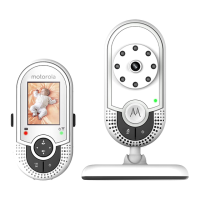
16 Parent Unit Menu Options
4. Parent Unit Menu Options
4.1 Adjust Speaker Volume
You can adjust the speaker volume from
Volume 1
to
Volume 5
, or turn it off. Press
+ or - on the Parent Unit when it is in camera viewing mode. When the
speaker volume is set to off, the screen displays .
4.2 LCD Brightness
You can adjust the brightness of the Parent Unit screen from
Level 1
to
Level 5
.
1. Press M when the Parent Unit is in camera viewing mode.
is displayed.
2. Press or to adjust the brightness.
3. Press O to confirm your selection.
4.3 Set Alarm Time on the Parent Unit
You can use the Parent Unit to set the alarm as a reminder for you to take care of
your baby.
If an alarm time is selected, the Parent Unit will beep at the end of the selected
2
,
3
,
4
,
5
or
6
hour period, and the alarm icon will flash red. The alarm will be cancelled
after 60 seconds or by pressing any button on the Parent Unit.
Turn on and set the alarm when it is currently off:
1. Press M when the Parent Unit is in camera viewing mode.
2. Press
< or to scroll to .
3. Press or to choose
On
, then press O.
4. Press or to choose
2h
,
3h
,
4h
,
5h
or
6h
.
5. Press O to confirm your selection.
Turn off the alarm when it is currently on:
1. Press M when the Parent Unit is in camera viewing mode.
2. Press
< or to scroll to .
3. Press or to choose
Off
.
4. Press O to confirm your selection.



 To Next Page
 Loading...