Use Pro mode
When to use Pro mode
In other modes, your camera digitally processes images: for example, HDR mode handles high-contrast
lighting and Portrait lets you blur backgrounds.
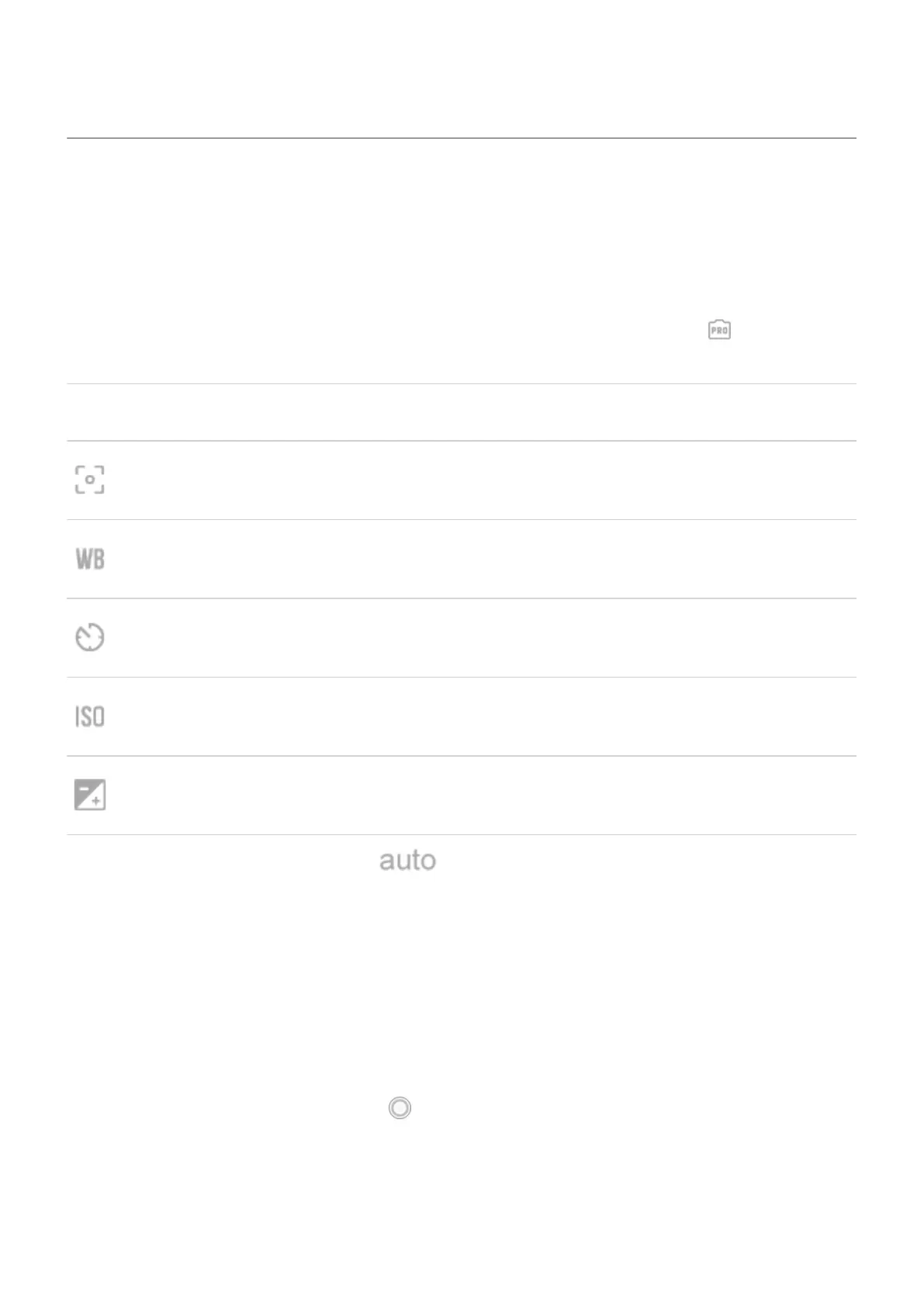
If you want to control and fine tune settings, bypassing this digital processing, switch to Pro mode on
the viewfinder. You can adjust one or all of these settings:
Setting Description
Focus range (macro, infinite, or manual).
White balance helps objects that appear white in person appear white in photos by correcting
for the color temperature of the light source.
Shutter speed sets the length of time the image sensor is exposed to light.
ISO controls the light sensitivity of the image sensor.
Exposure compensation makes photos dimmer or brighter.
If you don't adjust a setting and leave it as , the camera uses the default.
Adjust Pro settings
To change settings:
1. Tap More > Pro.
2. To change a setting:
a. Tap its icon.
b. Drag the slider.
3.
To take a photo with those settings, tap .
If you switch to Photo or other modes such as Portrait, these settings aren't used.If you switch to Auto or
other modes such as Portrait, these settings aren't used. The digital processing for those modes calculates
optimal values.
Photos and videos
136






 To Next Page