
 Need help?
Do you have a question about the Motorola pro and is the answer not in the manual?
Introduces the Motorola PRO, its features, cautions, and guides initial setup, charging, and Wi-Fi connection.
Details phone components, screen adjustment, and basic touchscreen gestures.
Covers navigation keys, power operations, volume, screen timeout, and rotation.
Describes the home screen, widgets, and shortcuts for quick access.
Details accessing the app menu and understanding phone status and notifications.
Covers dialing, voicemail, call history, emergency calls, and in-call options.
Guides on reading, replying, creating messages, sending attachments, and setting up email.
Guides on adding, importing, linking, synchronizing, and organizing contacts.
Covers text entry, input methods, ringtones, wallpaper, and sound settings.
Details camera, video, music playback, and sharing media via DLNA.
Instructions for web browsing, connecting to Wi-Fi networks, and managing downloads.
Guides on connecting Bluetooth devices and setting up a Wi-Fi hotspot.
Covers memory card management, file operations, and phone software updates.
Details tools like calendar, calculator, alarms, and security features like screen lock.
Provides steps for crash recovery, factory reset, and contact information for service.
Covers battery safety, driving rules, RF energy, and health warnings.
Includes FCC/Canada notices, recycling info, copyright, and warranty details.
 General
| Chipset | TI OMAP3620 |
|---|---|
| GPU | PowerVR SGX530 |
| Announced | 2011, February |
| Network | GSM / HSPA |
| 2G bands | GSM 850 / 900 / 1800 / 1900 |
| 3G bands | HSDPA 900 / 2100 |
| GPRS | Class 12 |
| EDGE | Class 12 |
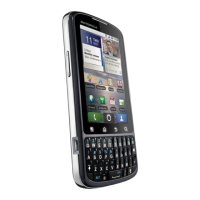
| Keyboard | QWERTY |
| SIM | Mini-SIM |
| Multitouch | Yes |
| Alert types | Vibration; MP3, WAV ringtones |
| Loudspeaker | Yes |
| 3.5mm jack | Yes |
| WLAN | Wi-Fi 802.11 b/g/n, hotspot |
| GPS | Yes, with A-GPS |
| Sensors | Accelerometer, proximity, compass |
| Messaging | SMS(threaded view), MMS, Email, Push Email, IM |
| Java | Yes, via Java MIDP emulator |
| Colors | Black |
| Display Type | TFT |
| Display Size | 3.1 inches |
| CPU | 1.0 GHz Cortex-A8 |
| Main Camera | 5 MP |
| Main Camera Features | LED flash |
| Dimensions | 119.5 x 62 x 11.7 mm |
| Weight | 134 g |
| Card slot | microSD |
| Internal | 512MB RAM |
| Video | 720p |
| Bluetooth | v2.1, A2DP, EDR |
| Radio | Stereo FM radio, RDS |
| USB | microUSB v2.0 |
| Browser | HTML |










 To Next Page