EasyManua.ls Logo

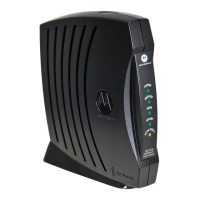
Motorola SURFboard SB6183 - User Manual

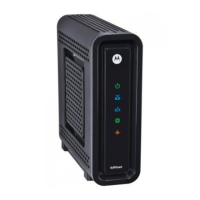
Motorola SURFboard SB6183
24 pages
Print Icon
To Next Page IconTo Next Page
Loading...
User Guide
SURFboard® SB6183
DOCSIS 3.0® Cable Modem

Table of Contents

Questions and Answers

  • K
    Kimberly LeeJul 27, 2025
    What to do if my Motorola SURFboard SB6183 cannot send or receive data?
    • L
      Lisa HurleyJul 27, 2025
      If your Motorola modem is unable to send or receive data, here are a few things you can check: * Ensure the coaxial cable is securely connected to both the modem and the cable outlet. * Verify the Ethernet cable is properly connected to both the modem and your computer. * Check the LED icons on the front panel of the modem to identify any potential issues. Refer to the section on Front Panel LED Icons and Error Conditions for troubleshooting. * If you have cable television, check to ensure your cable service is working correctly.
  • C
    Christopher HaynesAug 12, 2025
    How to fix Motorola SURFboard SB6183 when the POWER LED Icon is OFF?
    • S
      Sandra ChanAug 12, 2025
      If the POWER LED icon on your Motorola modem is off, try the following: * Verify the power connection to both the modem and the electrical wall outlet. * Confirm that the electrical wall outlet is functioning correctly. * If the outlet is controlled by a wall light switch, make sure the switch is in the ON position.

Summary

Safety and Regulatory Information

IMPORTANT SAFETY INSTRUCTIONS

Key precautions for safe operation, reducing risks of fire, shock, and injury.

Installing Your Cable Modem

Connect the Cable Modem to Your Computer

Step-by-step instructions for physically connecting the modem to a computer.

Test the Cable Modem Connection

Verifies the modem is connected and communicating correctly.

Monitoring Your Cable Modem and Connected Network

Start the Cable Modem Web Manager

Instructions on how to access the modem's web-based management interface.

Restore the Factory Default Modem Settings

Steps to reset the modem to its original factory configuration.

Reboot the SB6183

Instructions to restart the SB6183 cable modem.

Troubleshooting Tips

Solutions

Common modem problems and their recommended solutions.

Front Panel LED Icons and Error Conditions

Explains the meaning of front panel LED states and associated error conditions.

Motorola SURFboard SB6183 Specifications

General IconGeneral
DOCSIS3.0
Download Channels16
Upload Channels4
Max Download Speed686 Mbps
Max Upload Speed131 Mbps
Ethernet Ports1
Ethernet StandardGigabit Ethernet
Product TypeCable Modem
Compatible ISPsCox, Spectrum, others

Related product manuals