
 Need help?
Do you have a question about the Motorola SURFboard SBM1100 and is the answer not in the manual?
The SURFboard® SMART Video Adapters, specifically the SBM1000 kit, are designed to extend your home network using existing coaxial cabling, creating a MoCA (Multimedia over Coax Alliance) network. This allows for high-speed internet access and video streaming to various devices in different rooms without the need for new wiring. The kit includes two main components: the SBM1100 single-port MoCA adapter and the SBM1400 four-port MoCA adapter, along with necessary accessories such as power adapters, Ethernet cables, coaxial cables, RF splitters, and a MoCA filter.
The primary function of the SURFboard® SMART Video Adapters is to establish a MoCA network over your home's existing coaxial infrastructure. This technology leverages the coaxial cables already present in most homes for cable TV, allowing them to also carry high-speed data signals. This is particularly useful for extending a wired network connection to rooms where running new Ethernet cables would be impractical or undesirable.
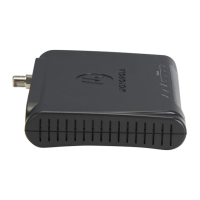
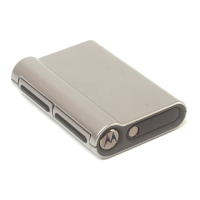
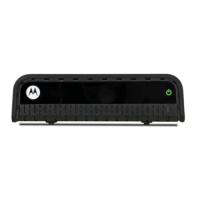
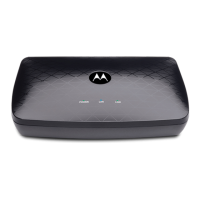
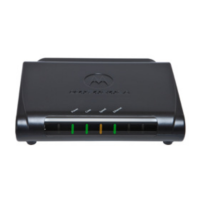
The SBM1100 single-port adapter typically serves as the "head-end" or primary adapter, connecting to your existing router and modem. It takes the Ethernet signal from your router and converts it into a MoCA signal, which is then injected into your home's coaxial network. This adapter ensures that your internet connection can be distributed throughout your home via the coaxial cables. It features a Coax In connector for the coaxial cable, an Ethernet port for connection to your router, and a power port. LEDs on the front panel indicate the status of power, coaxial connection, speed, and Ethernet activity, providing visual feedback on its operational state.
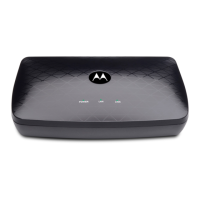
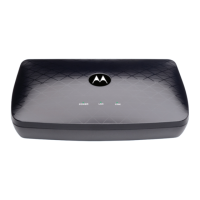
The SBM1400 four-port adapter acts as a "client" or secondary adapter, designed for use in other rooms where you need to connect multiple Ethernet-enabled devices. It receives the MoCA signal from the coaxial network and converts it back into an Ethernet signal, which can then be distributed to up to four devices. This is ideal for entertainment centers, home offices, or gaming setups where multiple devices like Smart TVs, set-top boxes, game consoles, or Blu-Ray players require a stable, high-speed wired connection. The SBM1400 also features a Coax In connector, four Ethernet ports, and a power port. Similar to the SBM1100, it has front panel LEDs for power, coaxial connection, speed, and Ethernet activity, allowing users to monitor its status.
The MoCA filter, included in the kit, is an important component that may be required for your cable modem. Its purpose is to prevent the MoCA signals from interfering with your cable modem's operation and to contain the MoCA network within your home, preventing signals from leaking out or interfering with your neighbors' networks. This ensures optimal performance and security for your MoCA setup.
The RF splitters are used to share a single coaxial wall outlet between your MoCA adapter and another coaxial device, such as a Smart TV, set-top box, or cable modem. They allow both the MoCA signal and the traditional TV signal to coexist on the same coaxial cable, ensuring that all your devices can function simultaneously without signal degradation.
The SURFboard® SMART Video Adapters are designed for quick and easy installation, requiring no new wiring. The installation process is straightforward and can typically be completed by users without specialized technical knowledge.
For the SBM1100 installation, you start by locating the coaxial cable connected to your cable wall outlet and modem/gateway. If an RF splitter is not already in use, you disconnect the cable from your modem/gateway and connect it to the "IN" connector of the included RF splitter. Then, you connect one of the included coaxial cables from an "OUT" connector of the splitter to your modem's "Cable" connector. Another included coaxial cable connects from a second "OUT" connector of the splitter to the SBM1100's "Coax In" connector. An Ethernet cable then connects the SBM1100's "Ethernet" port to your router's "LAN Ethernet/Network" port. It's crucial to ensure your router's "WAN Ethernet/Network" port is connected to your modem. Finally, you connect the power adapter to the SBM1100 and plug it into an electrical outlet. The Ethernet port LEDs on your router or gateway should indicate proper connectivity. If a MoCA filter is needed, it should be connected to the "Coax" connector on the modem.
For the SBM1400 installation in another room, you locate the coaxial cable connected to the wall outlet and your SmartTV or set-top box. Similar to the SBM1100 setup, if an RF splitter is not present, you disconnect the cable from your SmartTV or set-top box and connect it to the "IN" connector of an included RF splitter. One included coaxial cable connects from an "OUT" connector of the splitter to your SmartTV or set-top box. Another included coaxial cable connects from a second "OUT" connector of the splitter to the SBM1400's "Coax In" connector. An Ethernet cable then connects the SBM1400's "Ethernet" port to your SmartTV or other Smart device's "Ethernet/network" port. Finally, you connect the power adapter to the SBM1400 and plug it into an electrical outlet. After connecting the power, allow up to 10 minutes for the network connection to fully establish.
A key usage feature is the visual feedback provided by the front panel LEDs on both adapters. The "Power," "Coax," "Speed," and "Ethernet" LEDs should be lit SOLID once the network is established. The "Coax" and "Ethernet" LEDs will blink when data activity is detected, indicating that the MoCA network is actively transmitting data. This allows for easy troubleshooting and confirmation of network status at a glance.
The adapters are designed to be compatible with various existing network systems, including FiOS®, DirecTV®, and U-Verse®, without interfering with their operation. This broad compatibility makes them a versatile solution for many home networking scenarios. The ability to connect multiple devices to the SBM1400 makes it a central hub for entertainment or productivity in a specific room, providing reliable wired connections that are often superior to Wi-Fi for demanding applications like 4K video streaming or online gaming.
The SURFboard® SMART Video Adapters are designed for minimal maintenance. Once installed and configured, they generally operate reliably without requiring frequent intervention.
A crucial maintenance aspect highlighted in the guide is the strict requirement to only use the power adapters included in the SBM1000 adapter kit. Using other power adapters can result in permanent damage to the MoCA adapters and will void the warranty. This emphasizes the importance of using the correct power supply to ensure the longevity and proper functioning of the devices.
The devices are designed to be "set and forget" once the initial installation is complete and the LEDs indicate a stable connection. There are no user-serviceable parts inside the adapters, and no software updates or regular configurations are typically required from the user's end for ongoing operation.
In case of connectivity issues, the first step in maintenance or troubleshooting involves checking the LED indicators on both the SBM1100 and SBM1400. If the "Power," "Coax," "Speed," or "Ethernet" LEDs are not lit as expected (solid for established connection, blinking for activity), it indicates a potential problem with power, coaxial connection, or Ethernet connection, respectively. This visual diagnostic capability simplifies the initial troubleshooting process.
The user guide, accessible online, serves as a comprehensive resource for additional troubleshooting and network configurations. This online resource provides detailed information that can help users diagnose and resolve more complex issues, reducing the need for professional assistance.
The robust design of the adapters, leveraging existing coaxial infrastructure, inherently reduces the maintenance associated with new cable runs or managing complex wireless mesh networks. By providing a stable wired connection, these adapters can contribute to a more reliable home network, potentially reducing the frequency of network-related issues that would otherwise require troubleshooting.
Overall, the SURFboard® SMART Video Adapters offer a convenient, high-performance, and low-maintenance solution for extending wired network connectivity throughout a home using existing coaxial cabling.
 General
| Type | Cable Modem |
|---|---|
| Interface | Ethernet |
| Dimensions | 6.5 x 2 x 5.5 inches |
| Weight | 1 lbs |
| Product Type | Cable Modem |
| Ethernet Ports | 1 |
| Compatible Services | Cable internet |

 To Next Page