
 Need help?
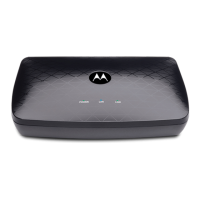
Do you have a question about the Motorola MoCA MM1025 and is the answer not in the manual?
Explains MoCA as a way to connect devices using coaxial cables.
Discusses using MoCA to connect WiFi mesh system units for Ethernet backhaul.
Details which networks the adapter works with and which it does not.
Guides on verifying if your router or modem has built-in MoCA capabilities.
Details physical connections for the MoCA adapter to a router/modem.
Instructions on powering on the MoCA adapter when installing for a router.
Outlines connecting the adapter to a device and the coax network.
Instructions on powering on the MoCA adapter for device setup.
Explains link lights and initial troubleshooting steps for device connection.
Explains the need for a splitter when connecting to a Verizon set-top box.
Details when and how to secure MoCA connections for cable internet users.
Provides instructions on installing a PoE filter to protect the MoCA signal.
Guides on verifying adapter connections, power, and link lights.
Addresses using MoCA with specific services like DirecTV or AT&T.
Helps diagnose issues when the Link light is on but the device is not working.
Provides steps to troubleshoot when the Link light is not illuminated.
Resolves issues related to built-in cable modem MoCA security settings.
Covers checking splitters, network amplification, and frequency ranges.
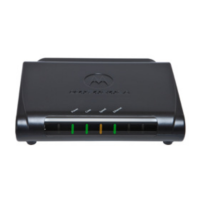
Describes the POWER indicator light and its meaning.
Explains the LAN indicator light and its Ethernet connection status.
Details the LINK indicator light and its MoCA connection status.
Describes the DEVICE and NETWORK ports for connecting the adapter.
Explains the LAN port and the MPS/RESET buttons.
Details the POWER connection and ON/OFF button functions.
Warns against water exposure and specifies operating temperature and ventilation.
Advises on stable placement, proper power cube usage, and outlet accessibility.

 To Next Page
 General