Need help?
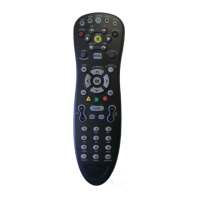
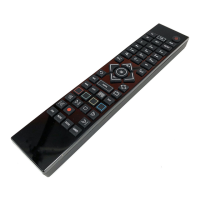
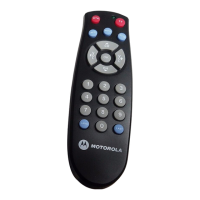
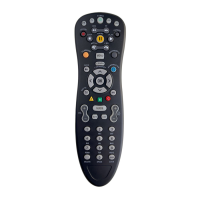
Do you have a question about the Motorola URC 62440 and is the answer not in the manual?
Instructions for pairing the remote with various devices.
Steps to power on the TV and set-top box using the remote.
Guide on how to properly install batteries in the remote.
Overview of methods to check current programming.
How to use the OK button to view the current program.
How to use the INFO button for program details.
How to navigate program listings using arrow buttons.
Identification and explanation of MyTV Guide screen elements.
Instructions on using remote buttons to navigate the MyTV Guide.
Steps to adjust the number of rows and columns in the Guide.
Identifies and explains MyDVR control buttons on the remote.
Explains information on the status bar during playback.
How to pause and resume playback of live or recorded programs.
How to use the REWIND button for playback control.
How to use the FAST FORWARD button for playback control.
How to use the SKIP BACK button to go back in playback.
How to return to live TV after pausing or rewinding.
How to achieve slow motion playback using PAUSE/FAST FORWARD.
Steps to record the program currently being watched.
Options for stopping a recording and how to save it.
Steps to create a one-time recording using the Guide.
How to record a live event, including extending recording time.
Steps to restart live TV using the GREEN button.
Detailed steps for setting up series recordings.
Steps to find and play recorded programs.
How to watch multiple recordings in a series sequentially.
How to set reminders and auto-tune for programs.
Steps to delete recorded programs.
How to create folders to organize DVR recordings.
How to view and switch between multiple recorded programs.
How to resolve conflicts when recording too many programs.
How to access recordings, future recordings, and series rules.
Options for customizing recording behavior like grouping titles.
How to group recorded episodes by title.
How to automatically display recording information.
How to group recordings into folders.
Setting the auto reverse playback feature.
Adjusting how long the status bar remains visible.
Choosing how playback icons are displayed.
Actions related to recordings like play, edit, info, move, group.
How to view, delete, and manage future recordings.
How to view and manage series recording rules.
How to access TV-related options via the Main Menu.
How to access recordings via the Main Menu.
How to view and manage system messages.
How to access and delete recent call entries.
How to access applications like Games.
How to select and play games from the Apps Menu.
How to access and view weather information.
How to view popular local programs and set recordings.
Steps to create and name a list of favorite channels.
Steps to delete an existing favorites list.
How to view and browse channels within a favorites list.
How to configure application settings, like weather location.
Steps to set the location for weather information.
Settings related to display output, audio, and connectors.
How to customize the appearance and behavior of the Guide.
How to adjust Caller ID and Voice Mail settings.
Options for customizing recording behavior like grouping titles.
How to group recorded episodes by title.
How to automatically display recording information.
How to group recordings into folders.
Steps to edit and manage favorite channel lists.
How to search for programs directly within the Guide.
How to use the dedicated Search button for finding programs.
How to view, save, and delete past search queries.
Instructions for changing the Parental Control PIN.
How to set TV and Movie ratings for content access.
How to set time periods for restricting TV access.
How to configure visibility of locked channels and restricted titles.
What happens when trying to access content beyond set parental controls.
Steps to install and sign in to the app on Android.
Details about the app's home screen sections.
Explains actions available in the app's side navigation.
How to search for programs within the app.
How to view the program guide using the app.
How to view existing, future, and series recordings in the app.
How to use the app as a remote control.
Steps to install and sign in to the app on iPhone.
Explains actions available in the app's action menu.
How to view the program guide by date or channel.
How to search for programs using keywords in the app.
How to view different types of recordings in the app.
Steps to install and sign in to the app on iPad.
Details on app actions like Guide, Search, Recordings, Remote.
How to view the program guide and filter by channel or favorites.
How to search for programs using keywords in the app.
How to view popular local programs and set recordings.
How to view different types of recordings in the app.
Details on the 'All Recorded' list and its management options.
Details on the 'One-Time Recorded' list and its management.
Details on the 'All Future' recordings list.
Details on the 'One-Time Future' recordings list.
Details on the 'Series' recordings list and its management.
How to use the app as a remote control.
 General
| Device Type | Universal Remote Control |
|---|---|
| Brand | Motorola |
| Model | URC 62440 |
| Category | Remote Control |
| Power Source | Batteries |
| Infrared | Yes |
| Supported Devices | TV, DVD |
| Compatibility | Multiple brands and models |


 To Next Page