Using Your Phone - 33
You can turn off the status light to increase your phone’s standby
time, the length of time that your phone’s battery retains power
when the phone is turned on but is not in use.
To turn the status light on or off:
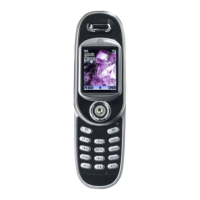
Using the Smart Key
The smart key gives you
another way to perform
many basic phone functions.
It anticipates the next action
you are likely to perform. For
example, when you highlight
a menu item, you can press
the smart key to select it.
You can use the smart key to
make and end calls, toggle features on and off, and open your
phonebook. The smart key usually performs the same function as
the right soft key (
+
).
Note: The smart key provides an optional way to do some things
faster. It is never the only way to perform a task.
flashing yellow roaming, non-home system
flashing red no service
Find the Feature
M
>
!"
>
!"
>
"!! #
>
# !
Indication State
Smart
key
UG.GSM.book Page 33 Thursday, June 6, 2002 2:22 PM


 To Next Page
 Loading...