8 9
Using the HDMI connector
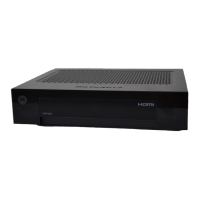
If your TV set has a HDMI connector, you can connect it to the HDMI
connector on the set-top box with a HDMI cable (not included) to
receive digital high definition video and digital audio.
Optional:
Connecting High definition Video
Optional:
Connecting to external audio
Digital audio: Using the SPDIF connector
Connect an RCA cable (not included) to the SPDIF connector on the
set-top box and connect the other end to your stereo or TV set.
If your TV set is HDTV compatible, you can connect the set-top box to
the TV set using the HDMI connector instead of the SCART connector to
receive and display HDTV, i.e. skip installation step
and replace it with
installation step .
If you want to use an external source to play audio such as a stereo or
home cinema equipment.
INSTALLING INSTALLING
TV Stereo/
HiFi system


 To Next Page
 Loading...