WORKING WITH HOST AUDIO SOFTWARE
22
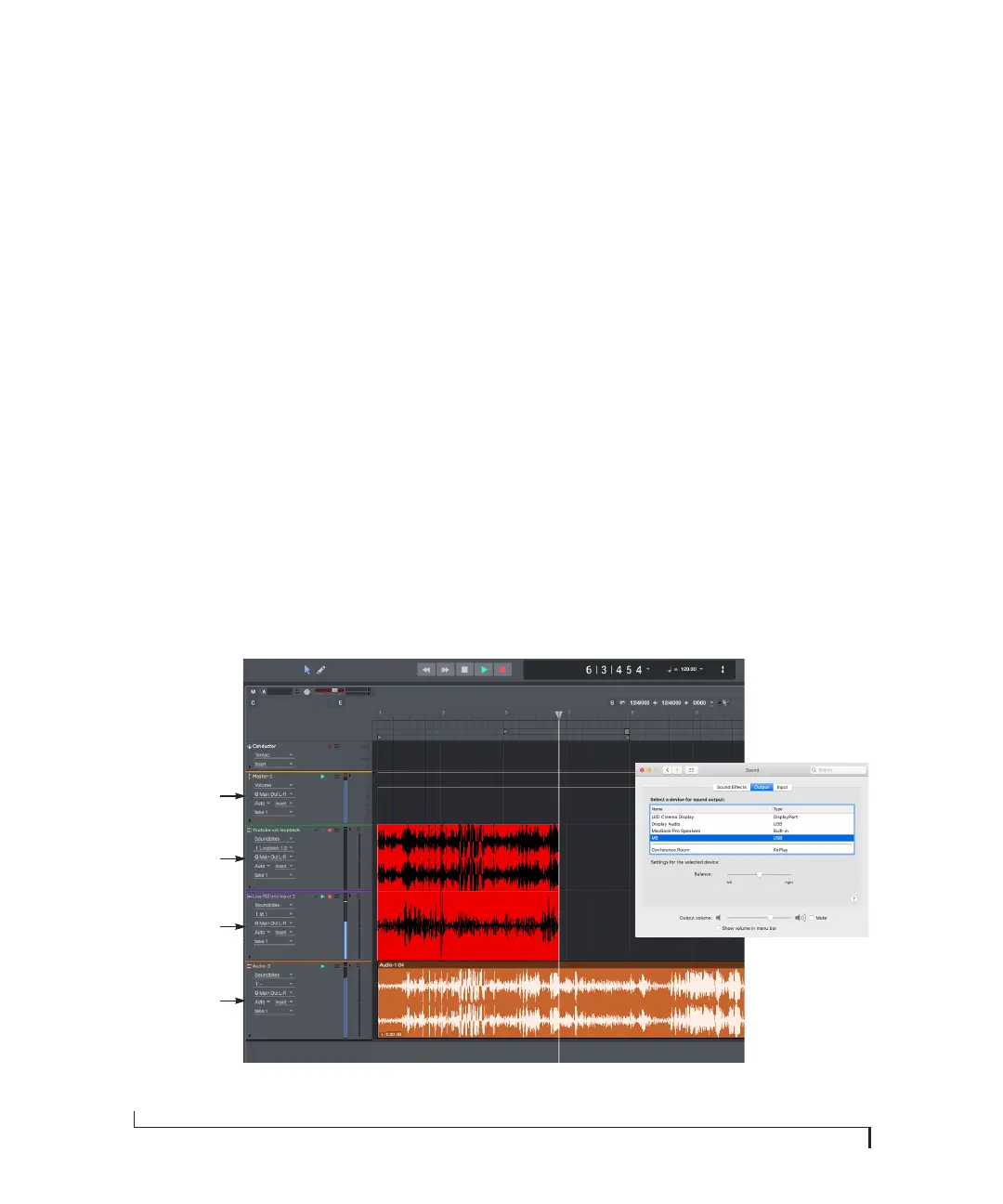
Master fader
The first track (yellow) is the master fader going to
the M2 Main Out L-R. This is the main output
from Performer Lite that you will hear on the M2
headphone output and Outputs 1-2 (speakers).
Loopback track
The second track (green) is the loopback track. Its
input is set to Loopback 1-2 (from Youtube).
Youtube is playing to the Mac’s output, which is set
to the M2 in the Sound Control Panel.
☛ Notice that this track is not play-enabled.
This means that it is not being monitored live
through Performer Lite. Doing so would cause
feedback. Instead, Youtube audio is monitored
through the loopback channels, which are routed
directly to the M2 outputs through the computer's
system audio.
Live input track
The third track (purple) is the live mic input from
the M2. The track’s input is set to In 1 and the
output is Main Out L-R. This track can be
monitored live through Performer Lite with no
feedback, as normal.
Disk track
The fourth (and final track) is the disk playback
track, set to Main Out L-R.
☛ Remember, be careful! When monitoring
loopback channels and live inputs, your host
software can cause loud feedback loops. Be sure to
disable the monitoring of loopback tracks to avoid
feedback.
Figure 4-3: An example of mixing loopback channels with live inputs in Performer Lite.
Master fader
Loopback track
Live mic track
Disk audio track
Sound Control Panel



 To Next Page