5
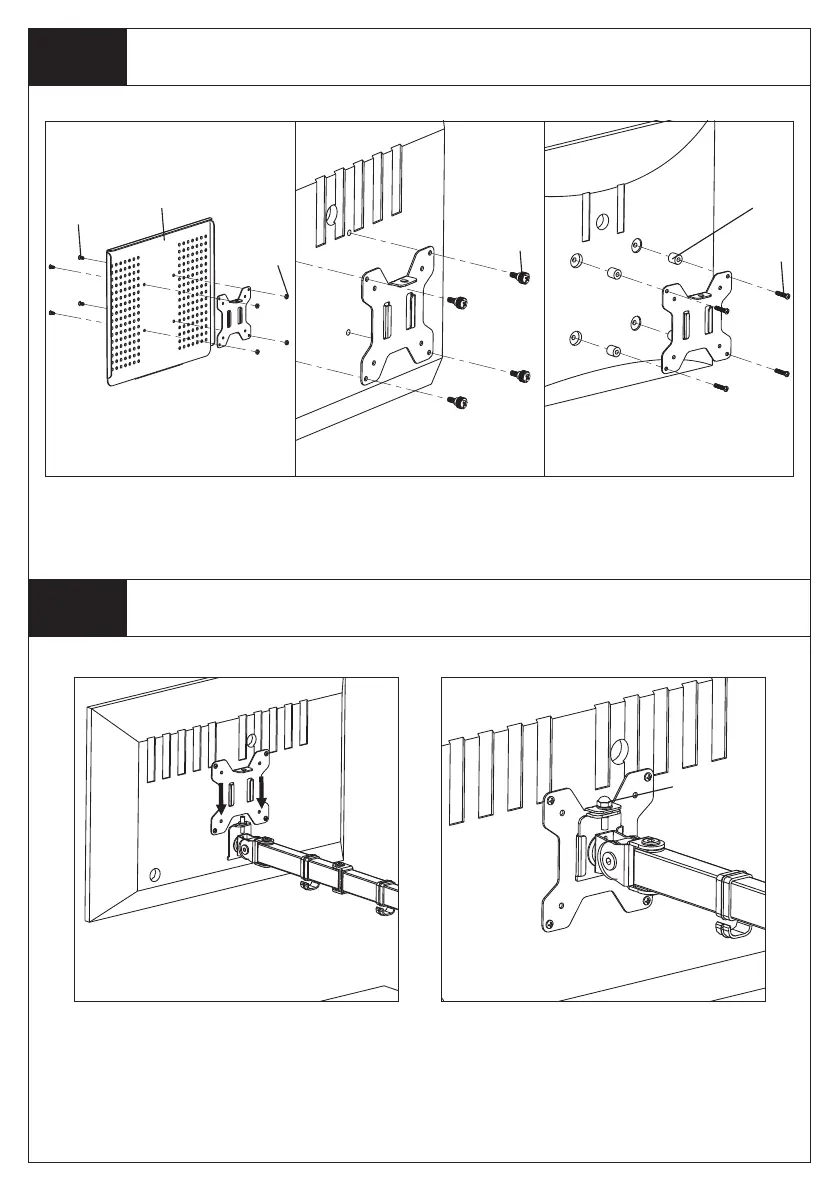
Step 3
Attach the VESA Plate to the Laptop Tray or Monitor
For Monitor with Curved
or Recessed Back
s
r
Step 4
Slide the Monitor onto the Head of Swivel Arm
Install the security Nut(h). Make
sure the security nut is installed
before you rotate the monitor.
Slide the monitor onto the head of
Swivel Arm(d) as shown in the
above diagram.
h
For Laptop
t
u
v
For Monitor with Flat
Back
q


 To Next Page