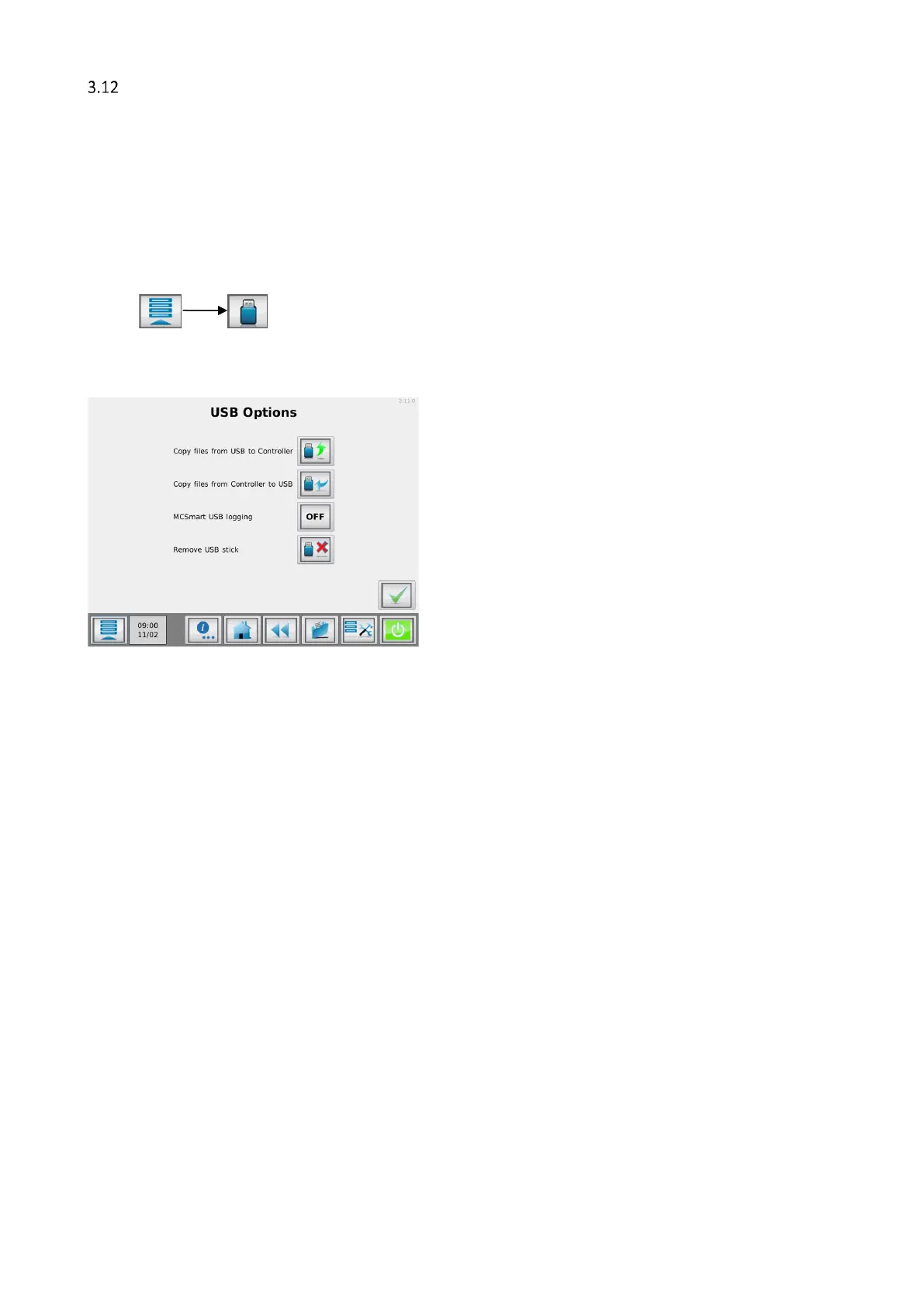
USB menu
The MCTC is equipped with a USB port. This port can be used for exporting consumption reports, material,
recipe and configuration files. Material, configuration and configuration setting files can also be imported for
backup/restore purposes. This USB port is also used for MCTC software updates.
For software updates, contact your local Movacolor representative.
Your USB memory stick should be formatted FAT32.
3.12.1 Export and Backup / Restore
Supervisor login required
Insert your USB memory device into the USB port ( See chapter: The Interface )
Press:
The USB menu will be shown, containing 4 options
Copy files from USB to Controller
Import files from USB memory stick to controller.
Copy files from Controller to USB
MCSmart USB Logging
Export files from Controller to USB memory stick.
Enable or disable MCSmart USB logging.
Safely remove USB memory stick.
When choosing option 1 (import) or option 2 (export), a new screen will be shown with the next options:
Transfer of material and recipe files only.
Configuration and Settings
Transfer of configuration and settings files only.
Transfer of consumption reports only ( export only ).
Transfer of all files (materials, recipes, configuration, log).
After copy of the files to the USB memory stick, you can store the backup files to a network drive or backup
folder on your computer. The USB memory stick contains a folder named MC_TC, this folder contains the
transferred files.
3.12.2 MCSmart USB logging
Supervisor login required
When the controller is not connected to a LAN network and therefore not able to log data to MCSmart real
time, it is possible to log MCSmart data to a USB stick. This data can be imported in the MCSmart software.
This option can only be enabled with a supervisor login.


 To Next Page