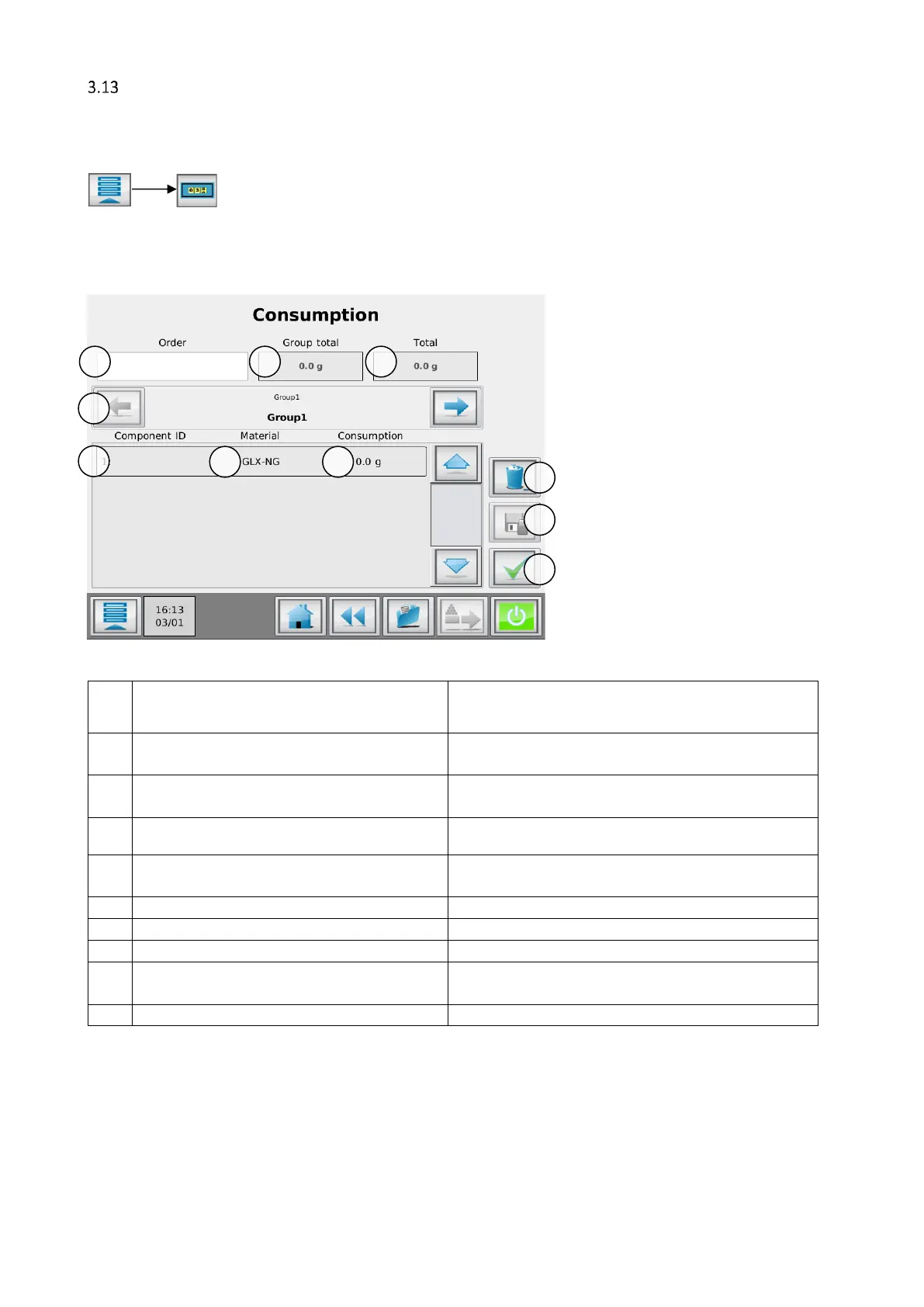
Consumption counters
The MCTC is equipped consumption counters, counting the consumed material of each component. To reset
the consumption counters you need at least TOOLING level login.
3.13.1 Consumption counter by order
Consumption can be counted by order number. By changing the order number all consumption counters will
be reset!
Enter a production order number.
Can be left blank, consumption will still be counted. Can be filled
in afterwards.
Total consumption for selected group (sum of all
components).
Total consumption of the whole machine (sum of
all groups).
Select the current group to be shown.
Only visible when more than one group configured.
The ID and name of the components in the current
selected group.
Material name of current loaded material file.
Current component consumption.
Reset all consumption counters.
Generate a consumption report and export the
last 5 to USB memory stick.


 To Next Page