Start-up & Login
After switching on the mains power of the MCTC, the screen will remain black for about 15 seconds, followed
by various loading screens. After about 90 seconds the home screen appears. When the unit is used for the
first time, a Configuration Wizard appears.
3.2.1 Configuration wizard
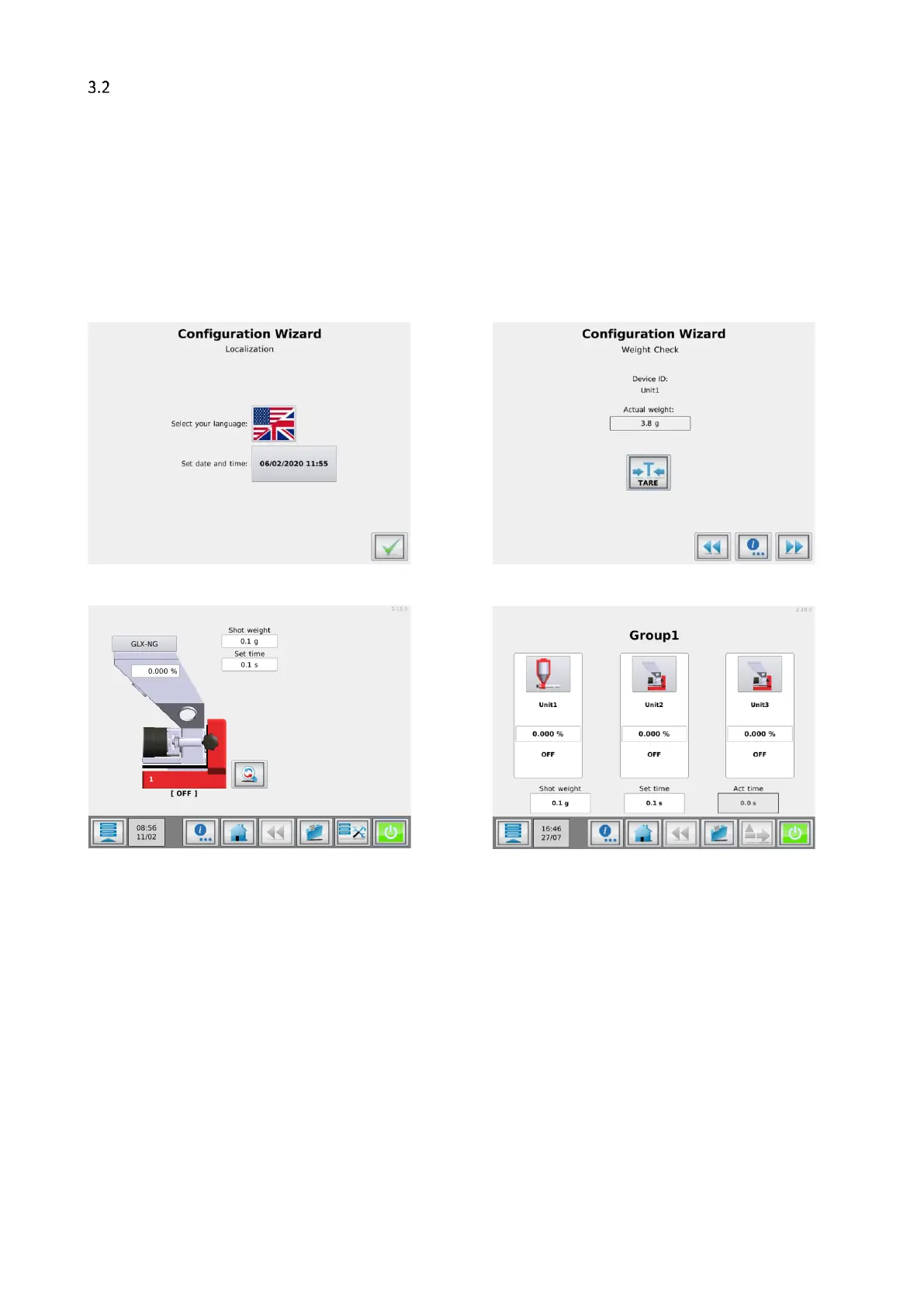
When the machine is powered up for the first time a configuration wizard will pop up. In this wizard, the
date/time can be set and a weight tare can be done for each unit. For the weight tare, it is necessary to have
the unit(s) installed as they will be during production, but not yet filled with material.
Weight tare does not improve the dosing accuracy. If the dosing accuracy is a problem, please perform a loadcell calibration.
3.2.2 Home screen
Single component Multi component


 To Next Page