2
Q: DOES THE WATCH WORK WITHOUT A
SMARTPHONE?
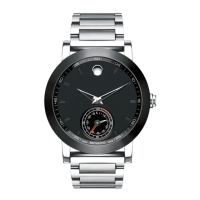
Yes. The watch has an analog display which shows the
time, whether the watch is connected to a smartphone
or not. The watch requires a smartphone and the app
for full smartwatch functionality, such as notifications
and activity tracking. The watch cannot be used with a
tablet.
Q: IS THE WATCH WATER RESISTANT?
Your watch is tested to meet international standards for
water resistance. Check the product specifications for
your watch to determine its water resistance. Movado
Group, Inc. (MGI) recommends not wearing your
watch when showering or swimming.
You should avoid submerging your watch in water or
allowing the contact pins to get wet. Moisture and
electrolyte residues (salts and chlorides) can cause
corrosion and possibly short-circuit the contact pins.
If the contact pins get wet, wipe them with isopropyl
alcohol, and then dry them with a soft cloth.
NOTE: The contact pins must be moisture-free before
you attach the charging cable.
To maintain water resistance, yearly maintenance is
required. The gaskets and crown that seal the case
are subject to wear and deterioration under normal
use. These parts should be inspected and replaced as
needed each time your watch is opened for service,
including battery changes. An authorized watch repair
center will automatically retest your watch for water
resistance as a routine step in all service orders. Please
find the appropriate repair center for your region:
AMERICAS:
MGI
109 State Street
Moonachie, New Jersey 07074
EUROPE AND MIDDLE EAST:
Call +800.0066.4700
Call +800.328.71224 (Turkey Only)
Email customercare@mgiluxury.com
NOTES: Water resistance applies only to your
watch case; some watch straps should not be worn
underwater or subjected to wet conditions.
Do not drop your watch or bang it against a hard
surface. Water resistance must be rechecked after
every violent shock.
CAUTIONS: Do not subject your watch to a pressure/
depth greater than the depth stated in the product
specifications for your watch, or the watch could be
damaged and your warranty voided.
Do not operate your watch button or pull out the crown
while your watch is wet or underwater.
NOTE: Movado Group, Inc. (MGI) will not be
responsible for any damage caused by or related
to leakage originating from improper handling or
damage to the case, crown, gaskets, or crystal.
Q. WHERE CAN I FIND THE WATCH SERIAL
NUMBER?
The watch serial number is etched on the back of the
watch. After the app is installed on your smartphone
and the watch and phone are paired, you can also
access the serial number inside the app. Tap the
SETTINGS icon, then tap HELP & SUPPORT, and then
find the serial number at the top of the screen.
Q. WHY DOESN’T THE SERIAL NUMBER IN THE
APP MATCH THE SERIAL NUMBER ON THE BACK
OF THE WATCH?
If your watch has undergone repairs at a service
center and the original module was replaced, the
serial number etched on the back of the watch may no
longer match the serial number that shows in the app.
GENERAL INFORMATION:









 To Next Page