DISPLAY MENU INSTRUCTIONS
FEATURES SETTINGS:
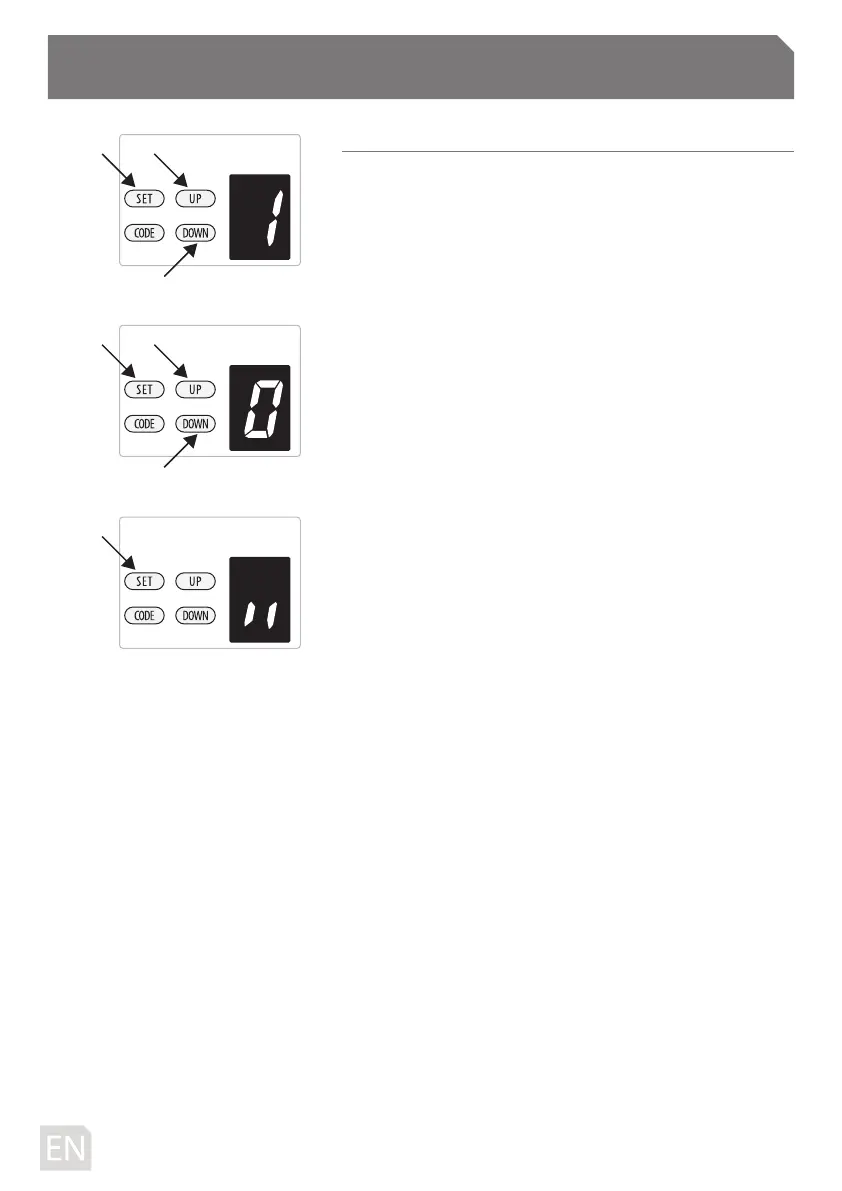
a) Press and hold SET button until “1” appears on the display
then release the button.
b) Press UP / DOWN button, then it displays the number “1-E”.
c) Press SET button to conrm the feature you need to set,
then it enters to the interface for detail setting of the
appointed feature.
d) In the detail setting interface display “0-A” with ash dot.
e) Press UP / DOWN button to choose the feature you need to
set.
f ) Press SET button to conrm the set and it will back to
standby status automatically and display “ll”.
-8D-



 To Next Page