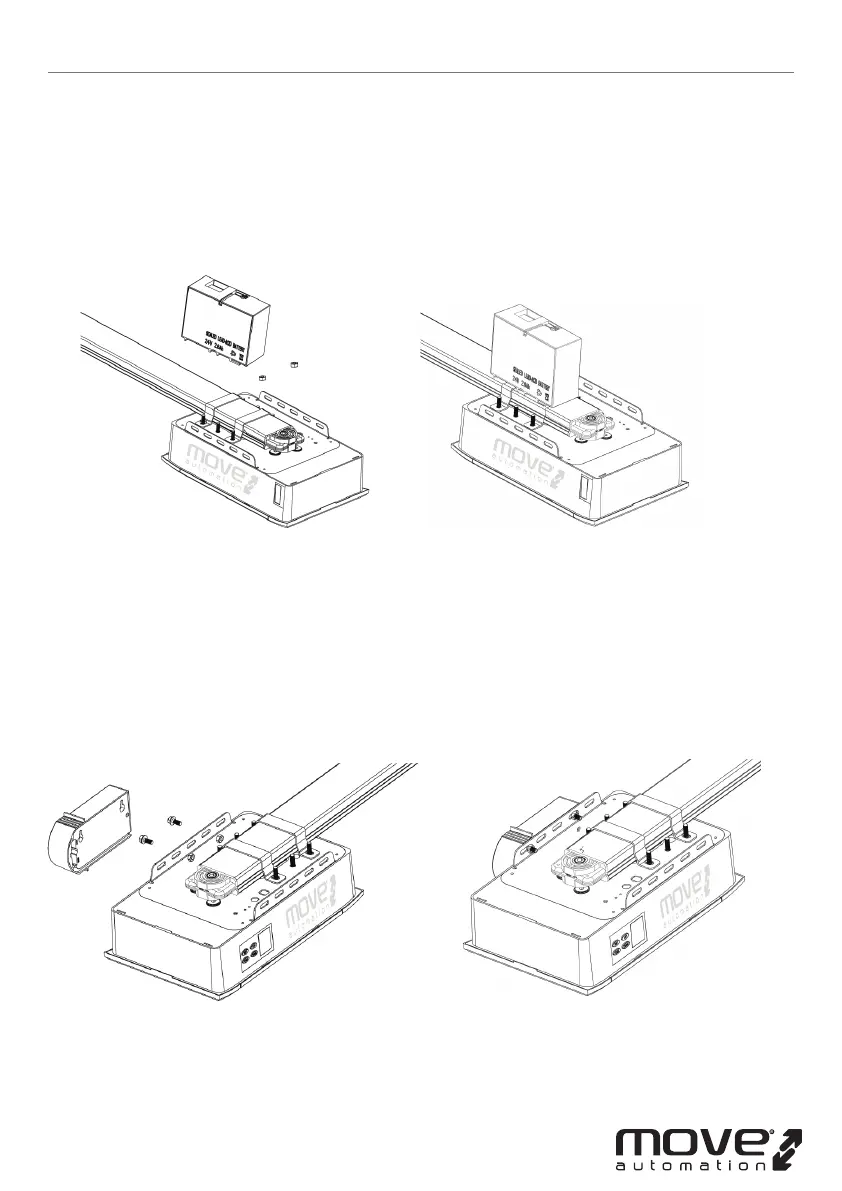
Option 1 - Top Fixed
STEP 1 (Fig.11)
Assemble the battery & battery bracket like the photo, x by screws supplied.
STEP 2 (Fig.12)
Join the battery to opener, nd the Fig.12.
Option 2 - Side Fixed
STEP 1 (Fig.13)
Assemble the battery & battery bracket like the photo, x by screws supplied.
STEP 2 (Fig.14)
Join the battery to opener, nd the Fig.14.
Battery backup Assembly (optional)
-7D-
Figure 11 Figure 12
Figure 13 Figure 14



 To Next Page