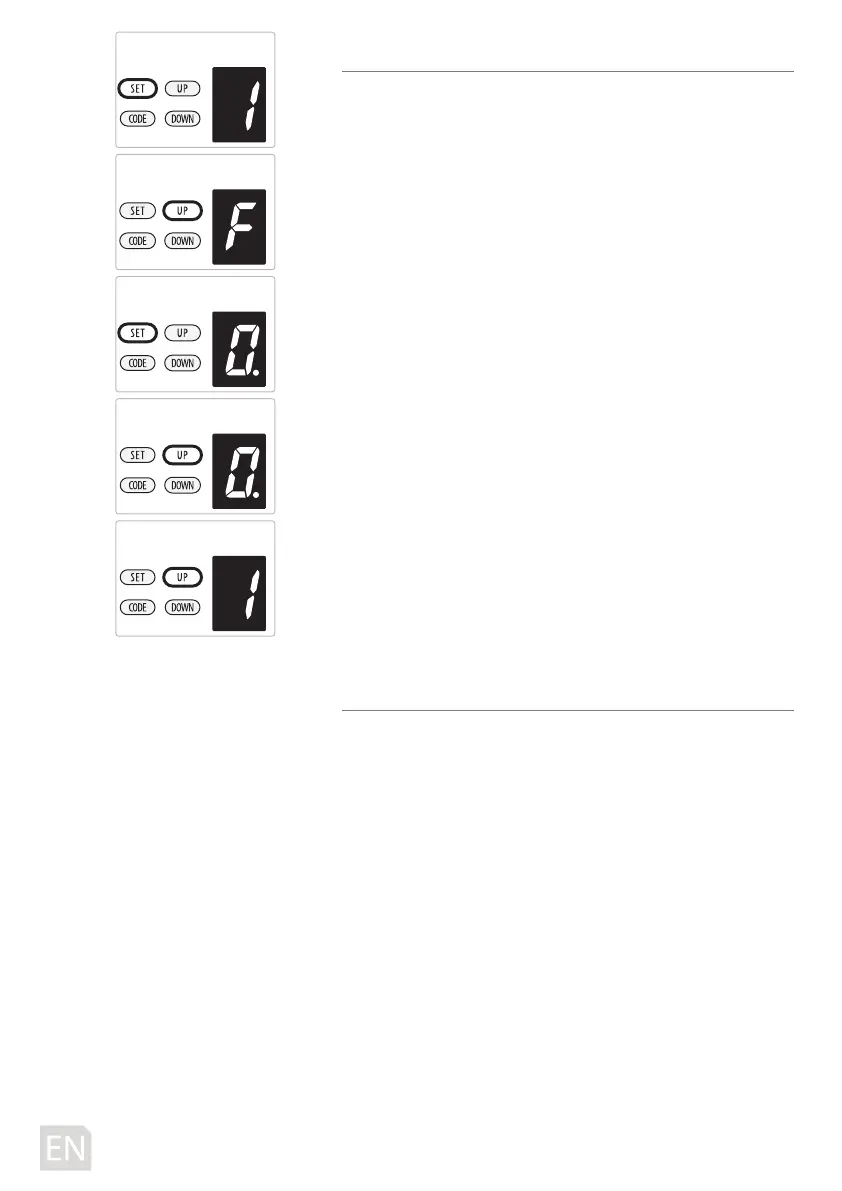
F. PROGRAMMING COMMUNITY FUNCTION
a) Press and hold SET Button until “
1 ”appears on the display,
next short press the UP/Down Button until “
F ” appears on
the display to enter this function setting then release the
button.
b) Press the SET Button it will display the status that you
choose.
c) Press UP/DOWN Button to set the condition “
0-1” you want.
d) Press SET button to conrm.
Figure “
0 ” means, the door can stop in the any position by
remote.
Figure “
1” means, the community function is opened, the
door can’t stop in the any position by remote during
opening. But the door can stop in the any position by remote
during closing, and it will automatically bounce to the top.
Note: The community funtion is set on “
0” as standard in
factory.
Attention: If you are using the remote by universal
receiver, it’s no aected with this setting.
G. OPEN / STOP / CLOSE TERMINALS
The O/S/C facility can be used for an external push button
switch to operate the opener. The switch must have voltage
free normally open contacts.
-20D-



 To Next Page