44 SPECIFICATIONS
Installing the Battery
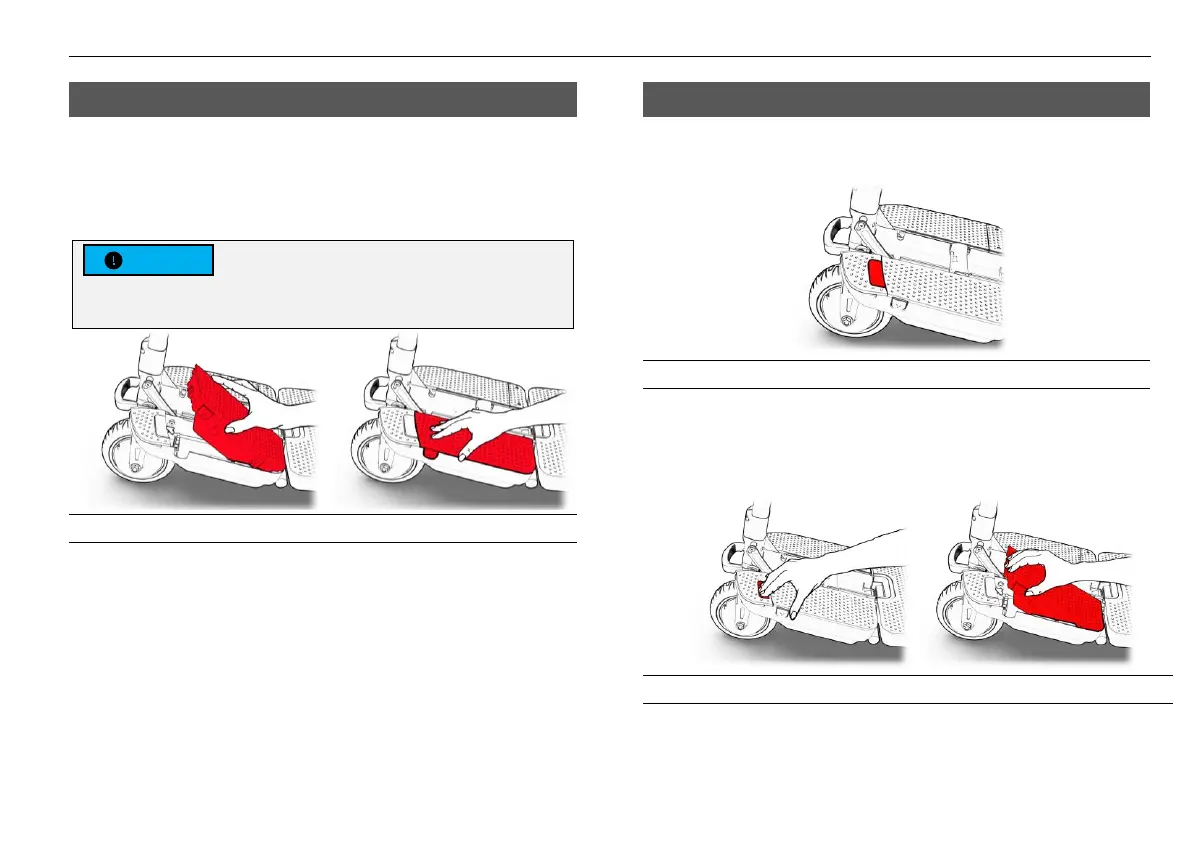
To install the battery, insert the back end of the
battery first (See Figure 17, step 1) and then push
the front until the battery clicks and locks in place
(See Figure 17, step 2).
Figure 17
Removing the Battery
Identify the battery release button (see highlighted
in red in Figure 18).
Figure 18 - Battery release button
To remove the battery from your ATTO, press the
release button (see Figure 19, step 1) and pull the
battery out (see Figure 19, step 2).
Figure 19



 To Next Page