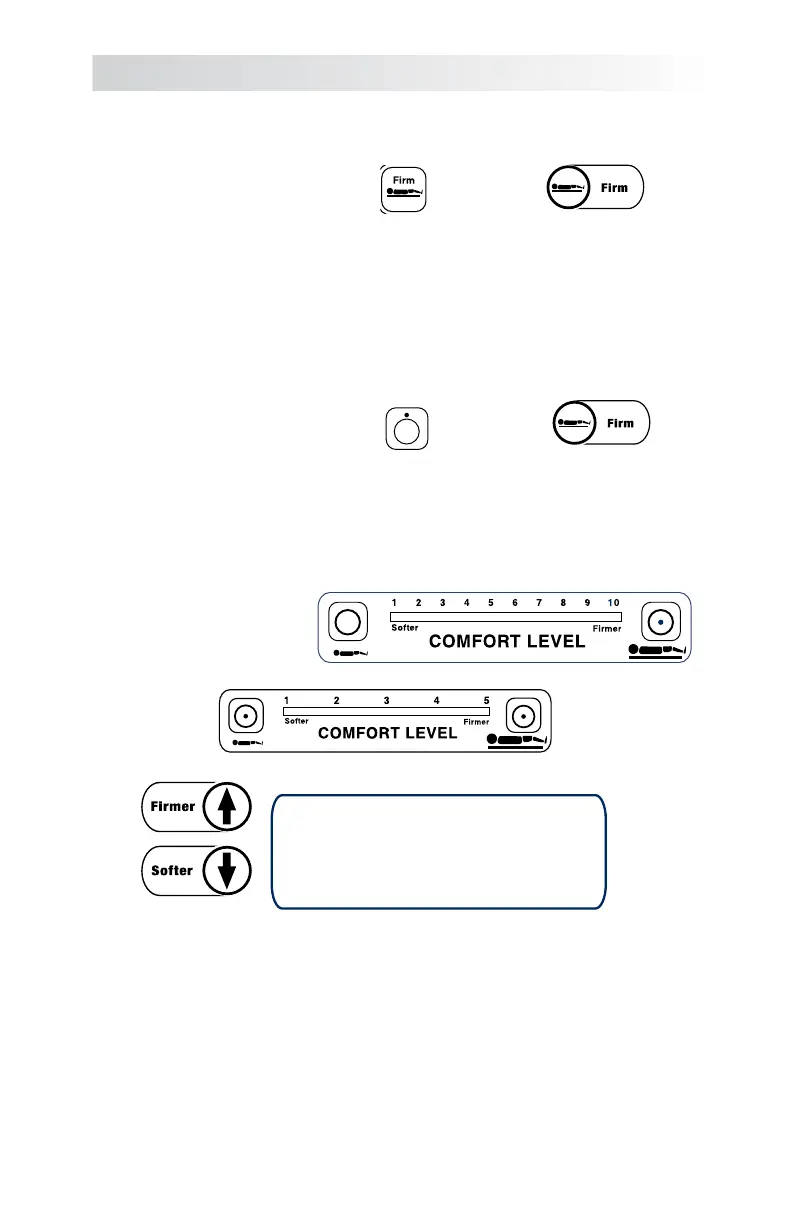
2. Press the firm mattress timer.
3. Place the patient on the mattress, centered and in their habitual resting position,
i.e. on their back, on their side, etc.
CAUTION: The bed rails should be locked in their highest position
before proceeding.
4. Press the Firm Mattress “OFF” button if illuminated.
5. Determine the patient’s weight and set the Comfort Level using the Comfort
Level “Softer” and “Firmer” buttons to the matching information on the Comfort
LevelChart(pg.13).Seesection12forinstructionsonhowtomanuallyinputthe
patient's weight on the Bari
Select model.
Note: Due to the different shapes and sizes of each patient, the settings
recommended on the Comfort Level Chart are only a guideline. User
judgement must be applied to properly adjust the Comfort Level to the setting
that best suits the patient.
6. Allow air in the mattress to equalize for a minimum of two (2) minutes before
proceeding.
Section 6 Manual Setup
Figure 9A
SelectAir,
SelectAir Max,
HybridSelect
Models
BariSelect
Models
only
Figure 9B
BariSelect
Models
only
SelectAir,
SelectAir Max,
HybridSelect
Models
SelectAir
SelectAir Max
Models
Figure 10
HybridSelect
Models only
BariSelect
Models
only
Comfort Level
12


 To Next Page