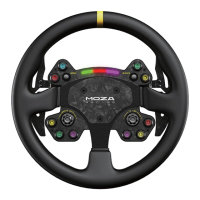
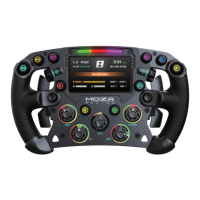
UsingMOZA Pit House,our software suite,the FSR steeringwheel can easilybe set up and configured to your
liking.
·
ClutchPaddle Mode:Set the operation of the clutchpaddles,whichcan be configured to act
togetheror independently of eachother,also as a button input
· JoystickMode:Joystickscan be configured as keys or buttons
·
Indicator Light Switch:Allows for switching the indicator light off,on, or specific speed settings
· Indicator Light Display Mode: Divided into two modes,toggled in the MOZAPit Housesuite
·
Speed Adjustment:Adjustableaccording to speed and the timing of the shiftindicator light, with
differentpresetsavailable
·
BrightnessAdjustment:Allows for adjustingof the brightness of the shift indicator
·
UI Configuration:Youcan switchUI in the MOZA Pit House suite,or you can switchthe UI on the wheel
directly by pressing the lowerright dual-clutch paddlewhile moving the joystick left or right.
· SteeringWheelCombination KeyConfiguration: Click on the description of the combination key in the
upper right corner of the steering wheel picture,allowing for adjustments of thefunction.
·
IndicatorLight ColorAdjustment:Adjustthe colorof the MOZA Flow shifter according to your preferences.
·
ScreenBrightness:Adjustthe brightness of the displayon the steering wheel.
· Speed Unit: Can be set to Metricor Imperial.
·
Temperature Unit: Can be set to Celsius or Fahrenheit.


 To Next Page