6
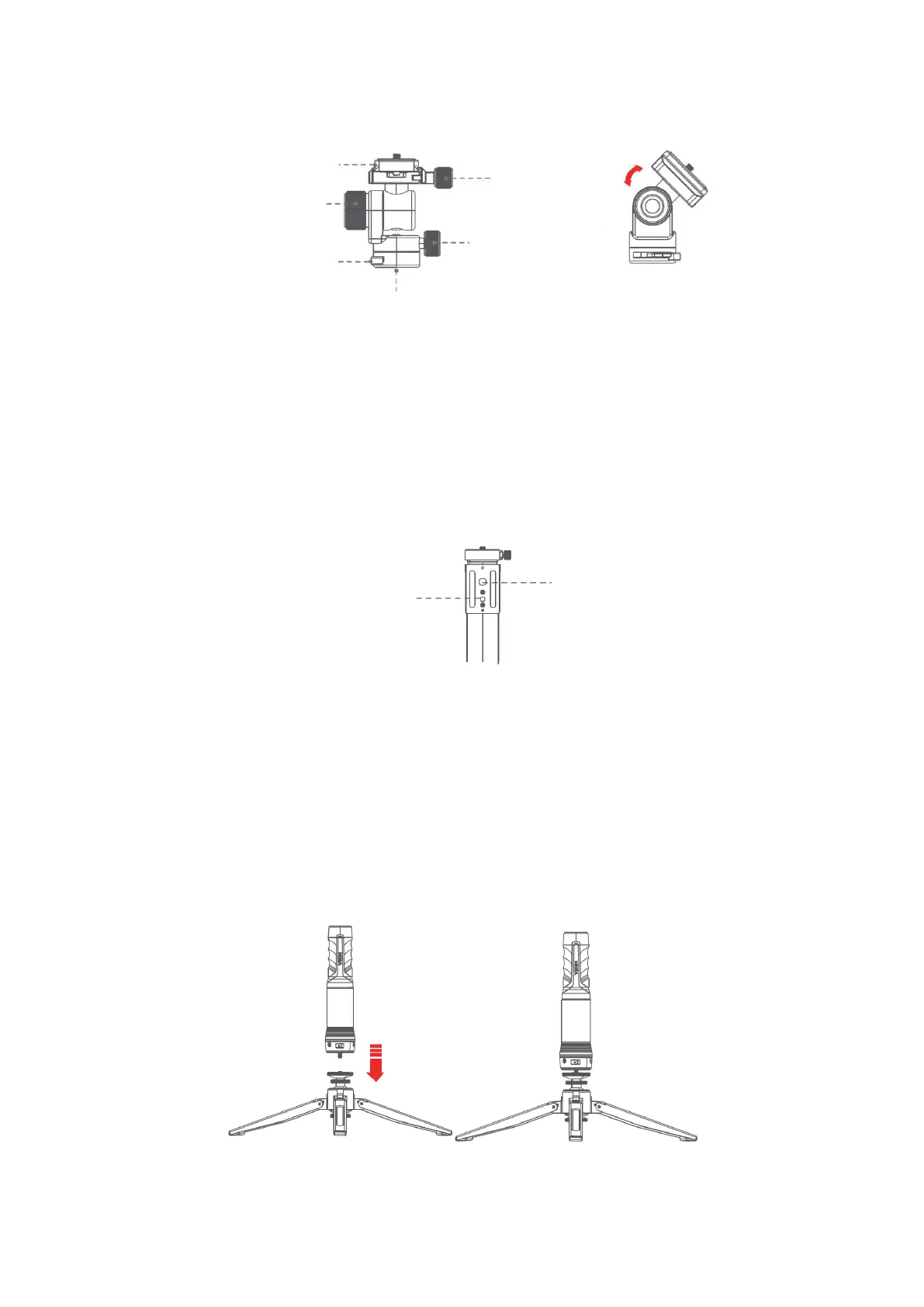
Pan-and-Tilt Head
• Release the heading adjustment knob to adjust the heading angle of gimbal and
ensure the gimbal’s position and level.
• Release the roll and pitch adjustment knob and adjus the angle of roll/pitch at the
same time, and then screw it when it is suitable.
• Release the gimbal lock and install the standard Arca quick release plate, then lock
the gimbal. the body to connect with tripod or other accessories to mount different
shooting devices.
The SLYPOD PRO’s body is supported by an Arca-Swiss quick release plate with a 1/4”
and a 3/8” mount. Use the SLYPOD PRO like a motorized slider by mounting the SLYPOD
PRO horizontal.
Install
Attaching the Tripod to The SLYPOD PRO
Align the tripod with the 1 / 4" mount of the SLYPOD PRO. Rotate the tripod until it is
hand tight.


 To Next Page