EasyManua.ls Logo

MPP Solar 8048MAX 2 Series - User Manual

MPP Solar 8048MAX 2 Series
72 pages
Print Icon
To Next Page IconTo Next Page
Loading...
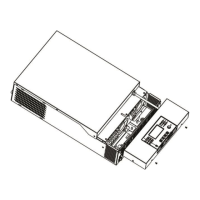
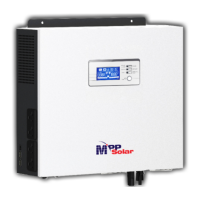
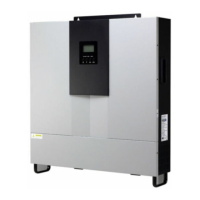
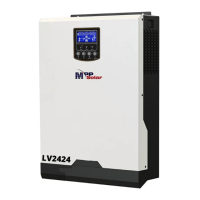
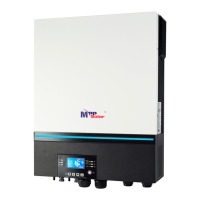
PIP8048MAX
SOLAR INVERTER / CHARGER
Version: 1.1
User Manual

Questions and Answers

  • K
    krussellAug 7, 2025
    How to fix MPP Solar Inverter that shuts down automatically during startup?
    • P
      palmermelissaAug 7, 2025
      If your MPP Solar Inverter shuts down automatically during the startup process, it may be because the battery voltage is too low (less than 1.91V/Cell). Try recharging the battery. If that doesn't work, consider replacing the battery.
  • J
    Jamie ScottAug 14, 2025
    What to do if MPP Solar Inverter has no response after power on?
    • J
      Joshua AdamsAug 14, 2025
      If your MPP Solar Inverter doesn't respond after powering it on, it could be due to a very low battery voltage (less than 1.4V/Cell). Check the batteries and wiring to ensure they are well connected. Another possibility is reversed battery polarity, in this case, re-charge battery. If the issue persists, the battery may need to be replaced.
  • J
    Jennifer LynnAug 19, 2025
    Why does the internal relay of my MPP Solar Inverter switch on and off repeatedly?
    • M
      malvarezAug 19, 2025
      If the internal relay of your MPP Solar Inverter switches on and off repeatedly when turned on, check if the battery wires are properly connected, as the issue might be due to a disconnected battery.
  • E
    Erin BushAug 30, 2025
    Why is my MPP Solar Inverter working in battery mode when mains are available?
    • D
      Don DunlapAug 31, 2025
      If your MPP Solar Inverter is running in battery mode even when mains are available, it could be due to a tripped input protector. Check if the AC breaker has tripped and ensure the AC wiring is properly connected. It may also be caused by insufficient AC power quality, so check if the AC wires are too thin or too long. Also check if generator (if applied) is working well or if input voltage range setting is correct. Finally, try changing the output source priority to Utility first.
  • A
    Andrew MorrisNov 24, 2025
    What to do if my MPP Solar Inverter buzzer beeps continuously and the red LED is on?
    • W
      Wendy JonesNov 24, 2025
      If your MPP Solar Inverter beeps continuously and the red LED is on, it could indicate several issues. It might be due to an overload (above 110%), in which case, reduce the load by switching off some equipment. Check for a short circuit in the output and ensure the wiring is properly connected, removing any unusual loads. For 1-3KVA models, verify that the unit's airflow isn't blocked and the ambient temperature isn't too high. Other potential causes include over-charged battery (in this case return to repair center), high battery voltage (check if the battery specifications and quantity meet the requirements), fan fault (replace the fan), abnormal output voltage (reduce the connected load), internal components failure (return to repair center), over current or surge (restart the unit, an...

Summary

About This Manual

Purpose

Describes assembly, installation, operation, and troubleshooting of the unit.

Scope

Provides safety and installation guidelines, plus tools and wiring info.

Safety Instructions

Introduction

Features

Lists key features like pure sine wave, RGB LED bar, Wi-Fi monitoring, and USB OTG.

Basic System Architecture

Illustrates the basic system application and required devices for a complete running system.

Product Overview

Component Identification

Lists and identifies various components and ports of the inverter unit.

Installation

Unpacking, Preparation, and Mounting

Guides on unpacking, preparing the unit, and selecting a suitable installation location.

Battery Connection

Explains how to connect the battery, including cable size and terminal specifications.

AC Input;Output Connection

Details the procedure for connecting AC input and output wires, including cable requirements.

PV Connection

Guides the connection of PV modules, including safety warnings and module type recommendations.

PV Connector Assembly and Panel Configuration

Provides instructions for assembling PV connectors and configuring panel arrays.

Final Assembly and Remote Display Installation

Instructions for final assembly and installing the remote LCD display panel.

DC Output Connectors and Communication

Describes optional DC outputs and various communication connection methods.

Operation

Power ON;OFF and Display Panel Overview

Instructions on powering the unit and overview of the operation and display panel.

Indicators, Icons, and Mode Information

Details various indicators, icons, and how battery, load, and operating modes are displayed.

LCD Setting - General Configuration

General settings adjustable via LCD, including output priority, charging current, and voltage ranges.

LCD Setting - Advanced Parameters

Configuration for AC input range, battery type, restart settings, and output frequency/voltage.

LCD Setting - Charging, Switching, and Protection

Settings for battery charged voltage, charger source priority, alarm control, and protection features.

LCD Setting - Equalization, Data, and RGB LEDs

Settings for battery equalization, data management, and RGB LED lighting.

LCD Setting - Log, Time, and DC Output Control

Options for data log management, time setting, and controlling the 12V DC output.

Function and Timer Settings

Configures USB functions and timed priorities for output and charger sources.

LCD Display Information and Data

Explains how to cycle through and view different information screens on the LCD.

PV, Charging, and Load Data Display

Shows how PV, charging, and load data are displayed on the LCD.

Energy Generation and Real-time Data Display

Displays energy generation data and real-time date/time on the LCD.

Version Checking and Operating Modes

Shows CPU/Wi-Fi versions and describes operating modes like Standby, Line, and Battery.

Operating Mode Details

Detailed explanations of Standby, Fault, and Line modes and their LCD indications.

Battery Mode Operation Details

Explains Battery Mode operation and LCD displays for power sources.

Faults Reference Code

Fault Code Reference

Lists fault codes, their descriptions, and corresponding icons displayed on the inverter.

Warning Indicator

Warning Code Reference

Lists warning codes, events, audible alarms, and icon flashing patterns.

Battery Equalization

Equalization Function Application and Timing

Guides on applying battery equalization, timing, and timeout settings.

Specifications

Line Mode Specifications

Provides detailed electrical specifications for the inverter operating in line mode.

Inverter Mode Specifications

Details electrical specifications for the inverter when operating in inverter mode.

Charge Mode Specifications

Lists specifications related to utility and solar charging modes, including charging curves.

General and Parallel Specifications

Covers general specs like safety, temperature, dimensions, and parallel operation details.

Trouble Shooting

Common Operational Issues

Addresses startup, response, and battery mode operation problems.

Fault Code and Indicator Troubleshooting

Explains issues indicated by fault codes, buzzers, and LEDs.

Appendix I: Parallel Function

Introduction, Mounting, and Wiring

Introduces parallel operation, mounting, and wiring for multiple units.

Parallel Configuration Diagrams

Illustrates power and communication connections for single-phase and three-phase setups.

Commissioning and Troubleshooting

Steps for commissioning parallel systems and troubleshooting common faults.

Appendix II: BMS Communication Installation

BMS Communication Setup

Covers BMS intro, pin assignments, lithium battery configuration, and PYLONTECH settings.

Battery Installation and Operation

Steps for connecting lithium batteries, parallel notes, activation, and communication.

LCD Display and Code Reference

Shows LCD info for battery numbers and explains communication codes.

Appendix III: Wi-Fi Operation Guide in Remote Panel

Wi-Fi App Setup and Network Configuration

Guides on downloading, installing, registering, and configuring the WatchPower APP and Wi-Fi network.

Device Management and Status Monitoring

Covers device list management, login, status display, modes, and alarms.

Parameter Settings and Customization

Details specific parameter settings like output, battery type, RGB LED, and default options.

MPP Solar 8048MAX 2 Series Specifications

General IconGeneral
Efficiency93%
Rated Output Power8000W
Max PV Input Voltage500VDC
MPPT Voltage Range120~450VDC
AC Output Voltage240VAC
Output Frequency50Hz/60Hz
Battery Voltage48V
CommunicationUSB/RS232
ProtectionOverload, short circuit
Battery TypeLithium
Max. DC Voltage500VDC

Related product manuals